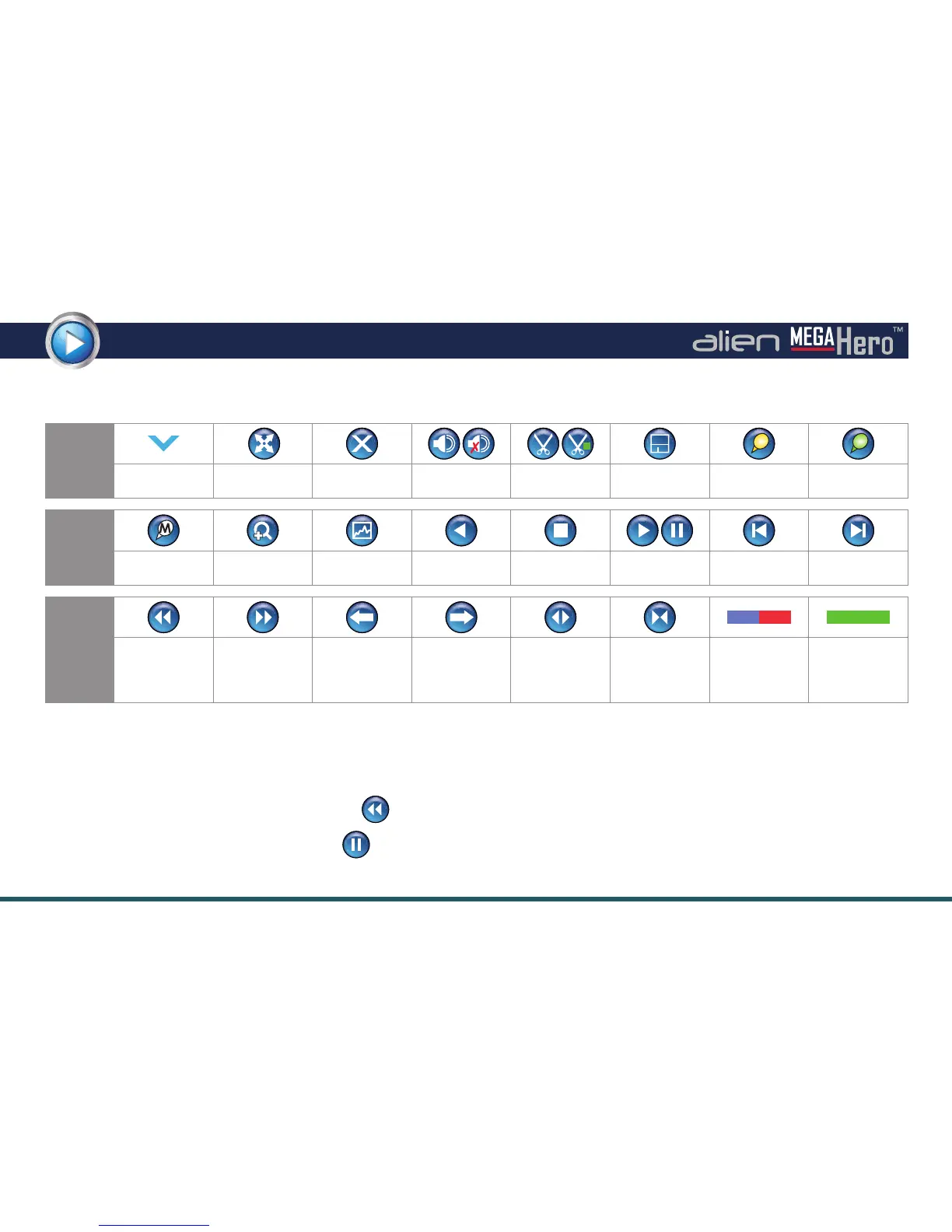
Toolbar Icons Explained
Icon
Function
Playback Options
Dropdown List
Full screen Exit Playback
Audio On /
Mute
Start / Stop
Clipping
Save Clipping Add Default Tag
Add Customised
Tag
Icon
Function
Tag
Management
Digital Zoom
Instant
Detective Setup
Reverse Play Stop Play / Pause
30 Seconds
Reverse
30 Seconds
Forward
Icon
Function Speed Down Speed Up
Previous:
Recording / Day
/ Event / Tag /
Search Result
Next:
Recording / Day
/ Event / Tag /
Search Result
Zoom In
Timeline
Zoom Out
Timeline
Video Type Bar
Normal / Event
Instant Detective
Search Result
Single Frame Playback
You can also advance recordings by a single frame at a time. To achieve single frame playback, whilst the footage is playing or
reverse playing, press the ‘Speed Down’ button until the playback speed is ‘Single’. (Hover over the button to see current
playback speed). Pressing the ‘Pause’ button will now advance the footage by a single frame.
Playback Toolbars Explained



 To Next Page