26 Get more from your alienDVR with our Free CCTV tips at aliendvr.com
Video
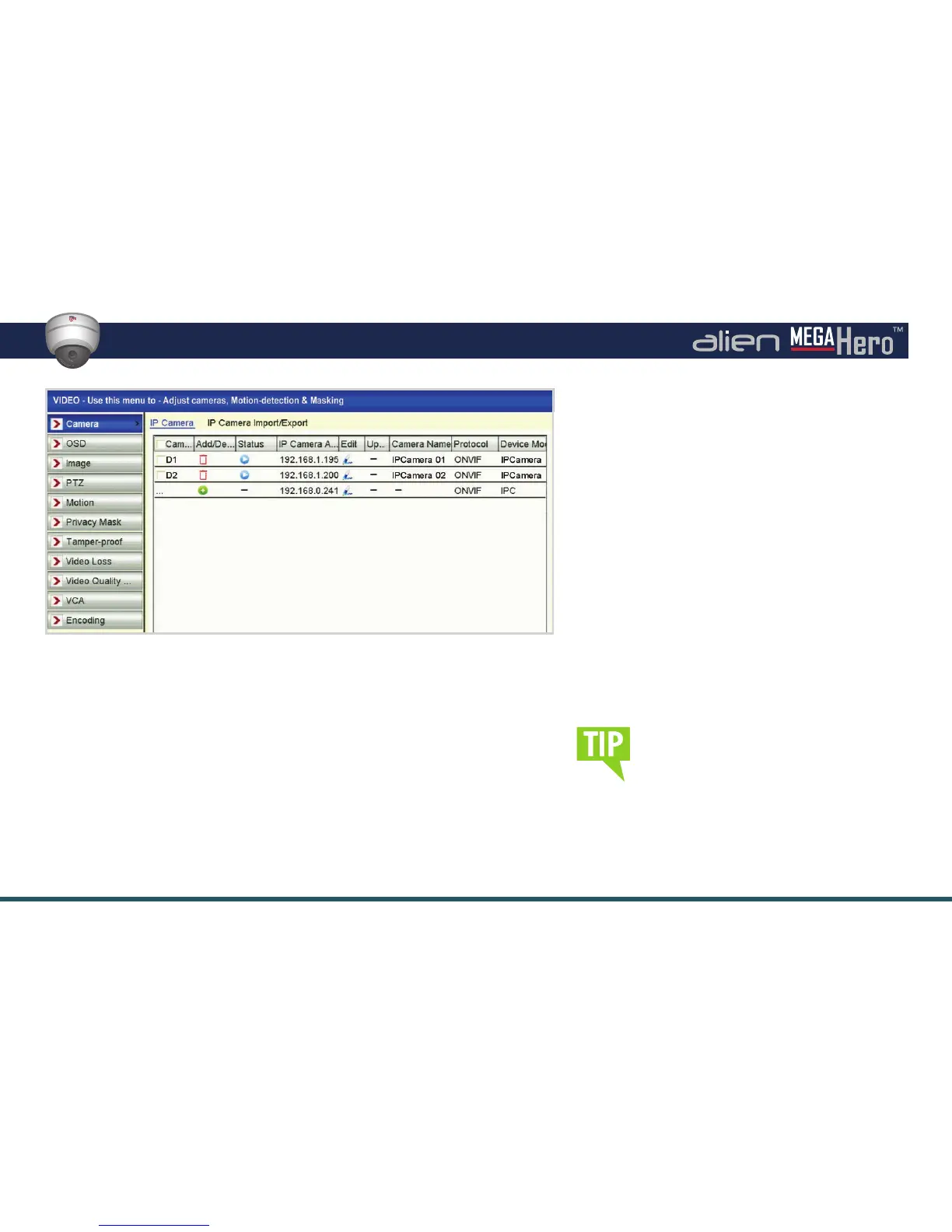
Video Interface
Video Submenu Overview
The Video menu is where you can con gure the camera for the best quality
and most effi cient recordings.
Here you can add, edit or delete IP cameras, set the camera’s OSD, image
settings such as brightness and contrast, PTZ presets, patterns and patrols.
Extra security settings can also be con gured here including
Motion
Detection
,
Line Crossing Detection
,
Intrusion Detection
and
Privacy Masking
along with alarm triggers for
Video Loss
and
Tampering
.
To copy settings from one camera to
another simply click the ‘Copy’. button,
here ticking the ‘Analogue’ checkbox
will copy the settings to all other
cameras. Alternatively you can tick
individual cameras you wish to copy
the settings to. Click ‘OK’ to apply.
Video Quality Diagnostics allows you to set the
threshold as to when the DVR alarms if it encounters
blurred images, abnormal brightness or colour cast.
The Video menu is also where the video settings
are set for recording substream such as resolution
and bit rate.
Functions available through the Video submenu:
• OSD Con guration
• Image Settings
• PTZ Settings
• Motion Detection
• Privacy Masking
• Tamper-proof Setup
• Video Loss Setup
• Video Encoding
•
Line Crossing
Detection
• Intrusion Detection
• Quality Diagnostics



 To Next Page