46 Get more from your alienDVR with our Free CCTV tips at aliendvr.com
Instant Detective - Explained
46 Get more from your alienDVR with our Free CCTV tips at aliendvr.com
Instant Detective is one
of the MegaHero’s best
features. It analyses footage
retrospectively to quickly nd
events that have occurred.
If you are recording continuously
wouldn’t it be great if you could then
‘analyse’ a particular area, doorway,
shelf and see what movement
occurred within that area in the
already recorded footage? Well you
can with Instant Detective!
You have three options when using
Instant Detective. ‘
Line Crossing
Detection
’ ags up anytime something
moves across a user de ned line.
‘
Intrusion Detection
’ nds footage of
times when something moves into and
stays inside a user de ned area. ‘
Motion
Detection
’ searches for any movement
inside a user de ned area.
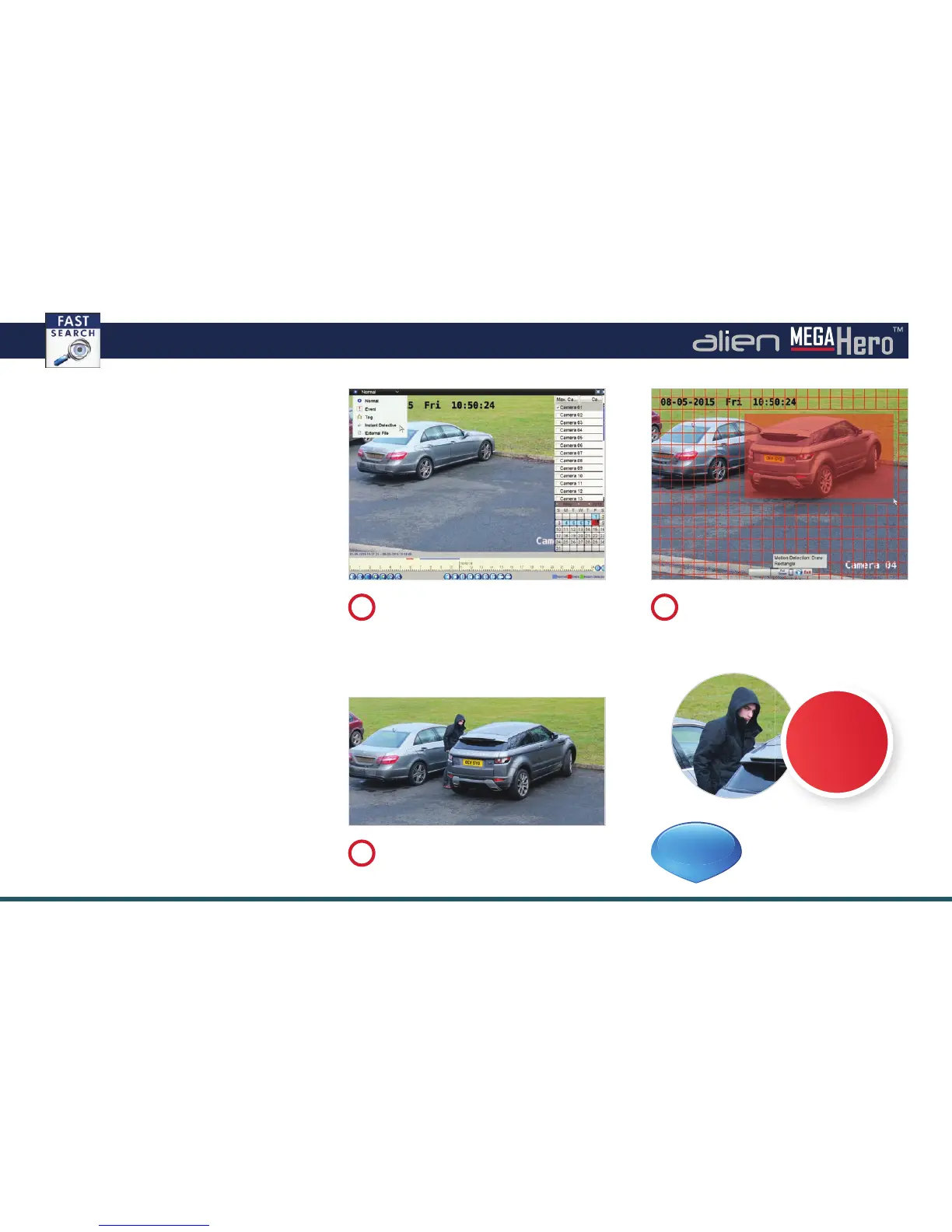
The following is an example of how
Instant Detective could be use.
A car is stolen under the surveillance of a
camera recorded on an MegaHero.
In the playback screen select ‘Instant
Detective’ from the drop down list. Choose
the channel, date, then click ‘Play’.
1
Click the ‘Instant Detective’ button and
select ‘Motion Detection’. Click and drag
over the area you want to examine and
click ‘Play’.
2
Instant Detective quickly nds footage
of any activity around the vehicle and
highlights the occurrences in green
3
See online tip 235 for
more information
at
aliendvr.com
TIP
235
THIEF
caught on
camera!



 To Next Page