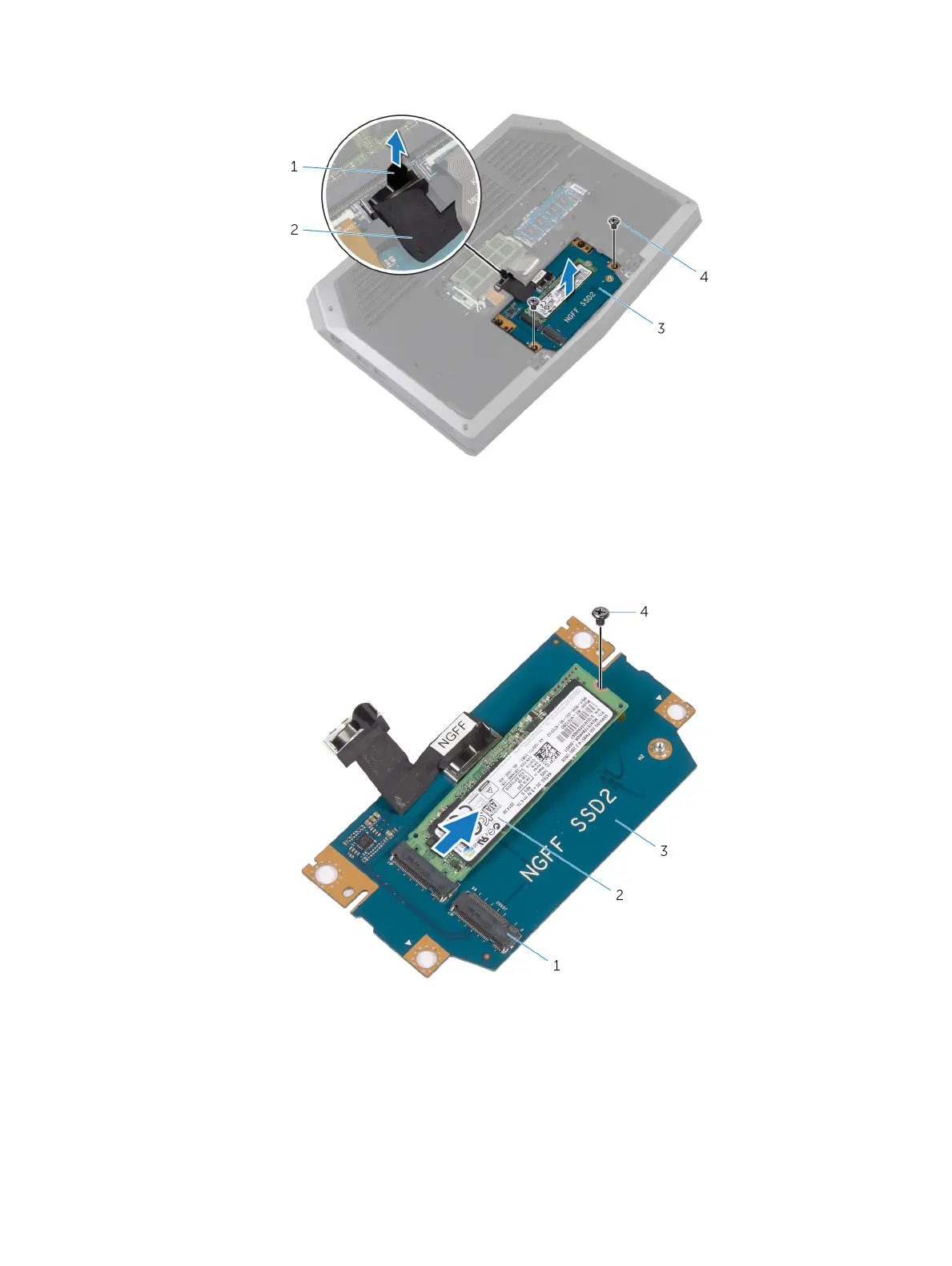
4 Remove the screws that secure the solid-state drive assembly to the computer base.
1 pull tab 2 solid-state drive cable
3 solid-state drive assembly 4 screws (2)
5 Lift the solid-state drive assembly o the computer base.
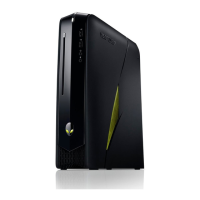
6 Remove the screw that secures the solid-state drive to the solid-state drive assembly.
7 Slide and lift the solid-state drive o the solid-state drive assembly.
1 solid-state drive slots (2) 2 solid-state drive
3 solid-state drive assembly 4 screw
17













 To Next Page