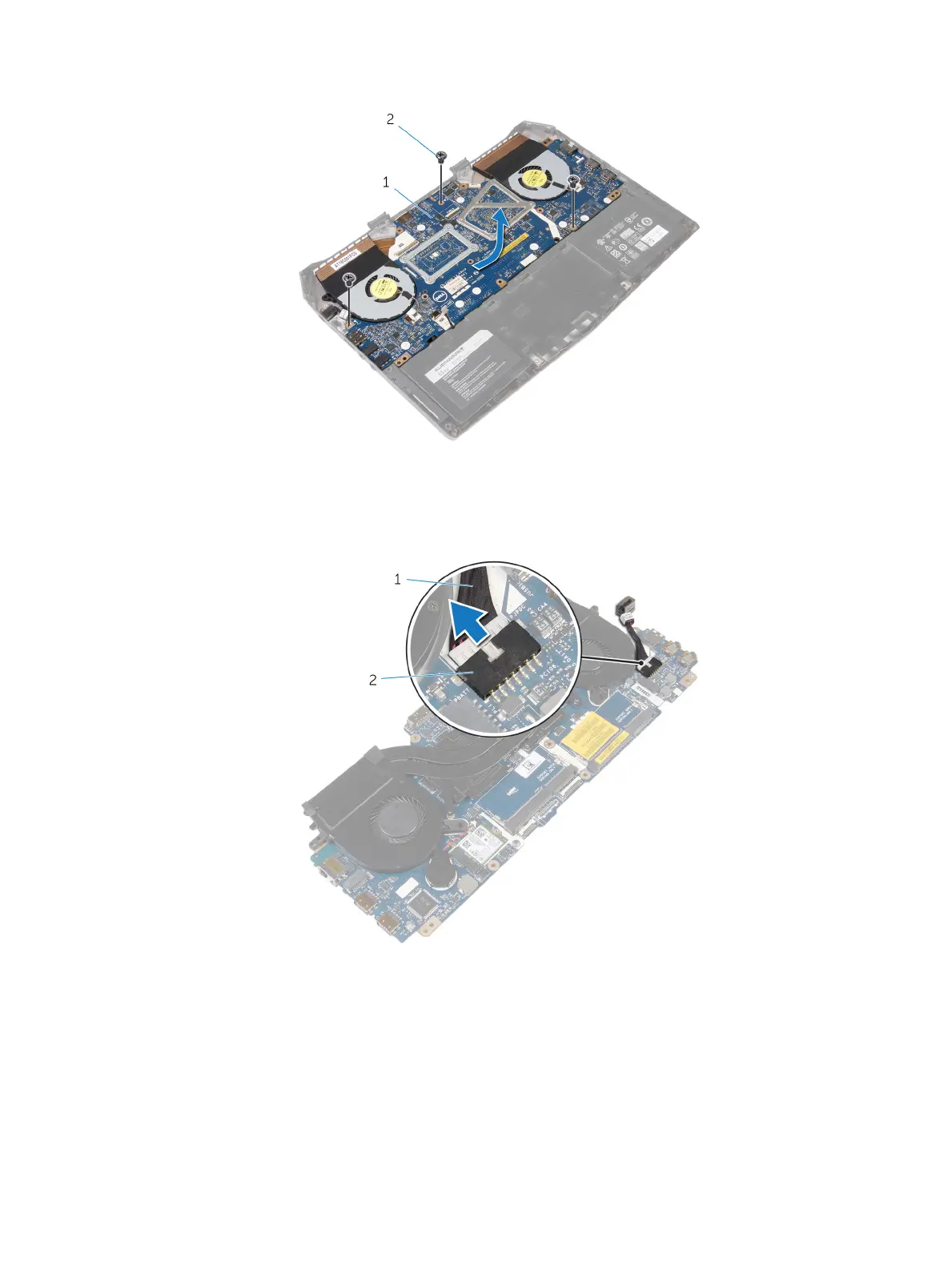
5 Remove the screws that secure the system board to the computer base.
1 system board 2 screws (3)
6 Slide and lift the system-board assembly.
7 Turn the system-board assembly over.
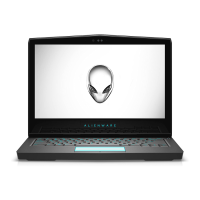
8 Disconnect the power-adapter port cable and remove the power-adapter port from the system board.
1 power-adapter port cable 2 system-board connector
44












 To Next Page