Drivers & Utilities
4 - 8 RAID Mode Configuration
4
2. Prepare a formatted blank 3.5" 1.44MB floppy diskette, and an external USB floppy disk drive.
3. Create a RAID Driver Diskette by using an operable computer to copy the Drivers\RAID\FASTTRAK
folder from the Device Drivers & Utilities + User’s Manual CD-ROM (Navigate/Browse.. to
D:Drivers\RAID\FASTTRAK) to the blank floppy diskette.
4. Connect the external USB floppy disk drive to the notebook computer.
5. Startup your computer and press <F2> to enter the BIOS (see “The Setup Program” on page 5 - 4).
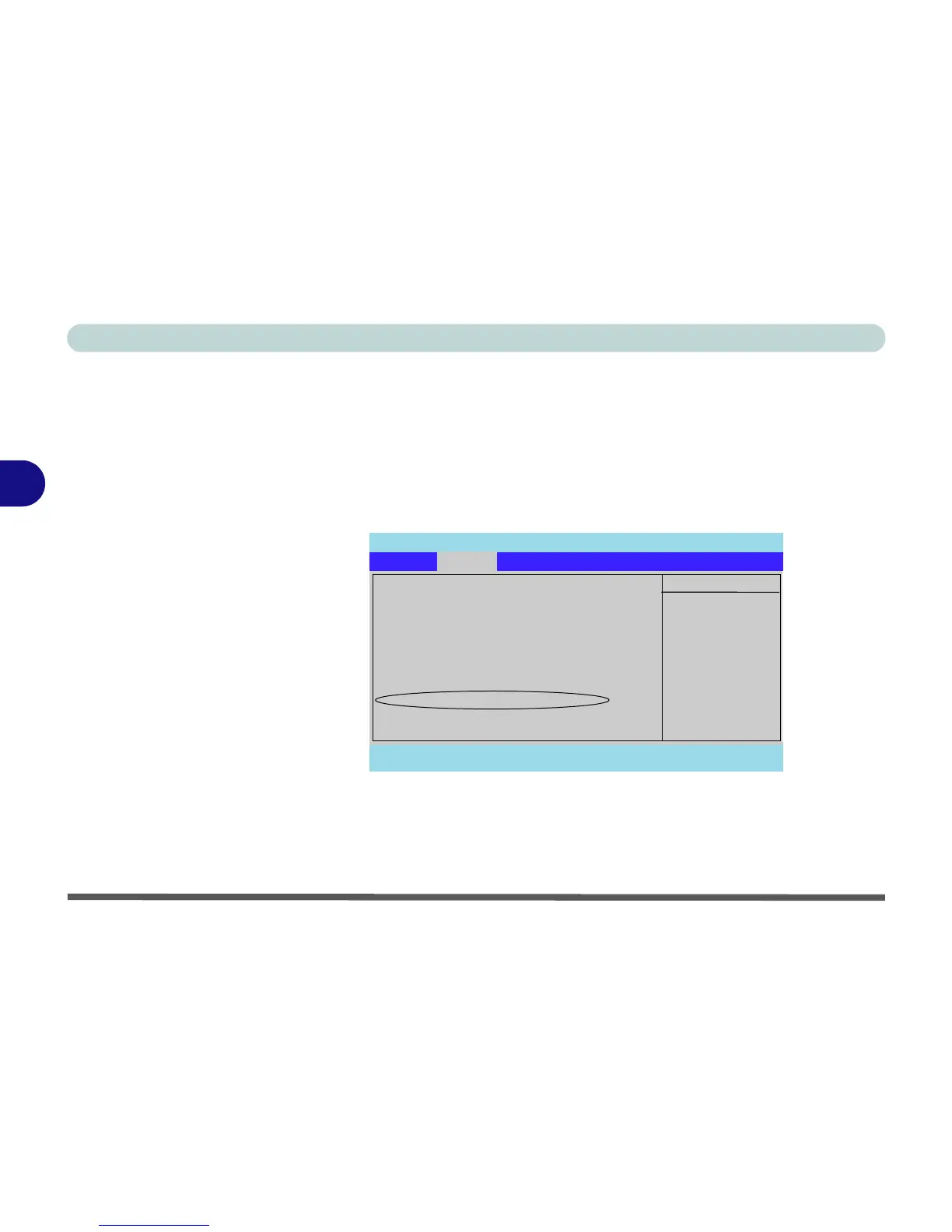
6. Set the RAID/ATA Mode Select to RAID Mode (see “RAID/ATA Mode Select: (Advanced Menu)” on
page 5 - 10).
PhoenixBIOS Setup Utility
Main Advanced Security Power Boot Exit
F1 Help Select Item -/+ Change Values F9 Setup Defaults
Esc Exit Select Menu Enter Select Sub-Menu F10 Save and Exit
Item Specific Help
Setup Warning
Setting items on this menu to incorrect
values may cause your system to malfunction.
System Information
I/O Device Configuration
Reset Configuration Data: [No]
Hyper Threading Technology: [Enabled]
Power On Beep [Disabled]
Card Reader : [Enabled]
RAID/ATA Mode Select [RAID Mode]
Display Time on LED [Enabled]
Advanced















 To Next Page