Setting up the monitor | 27
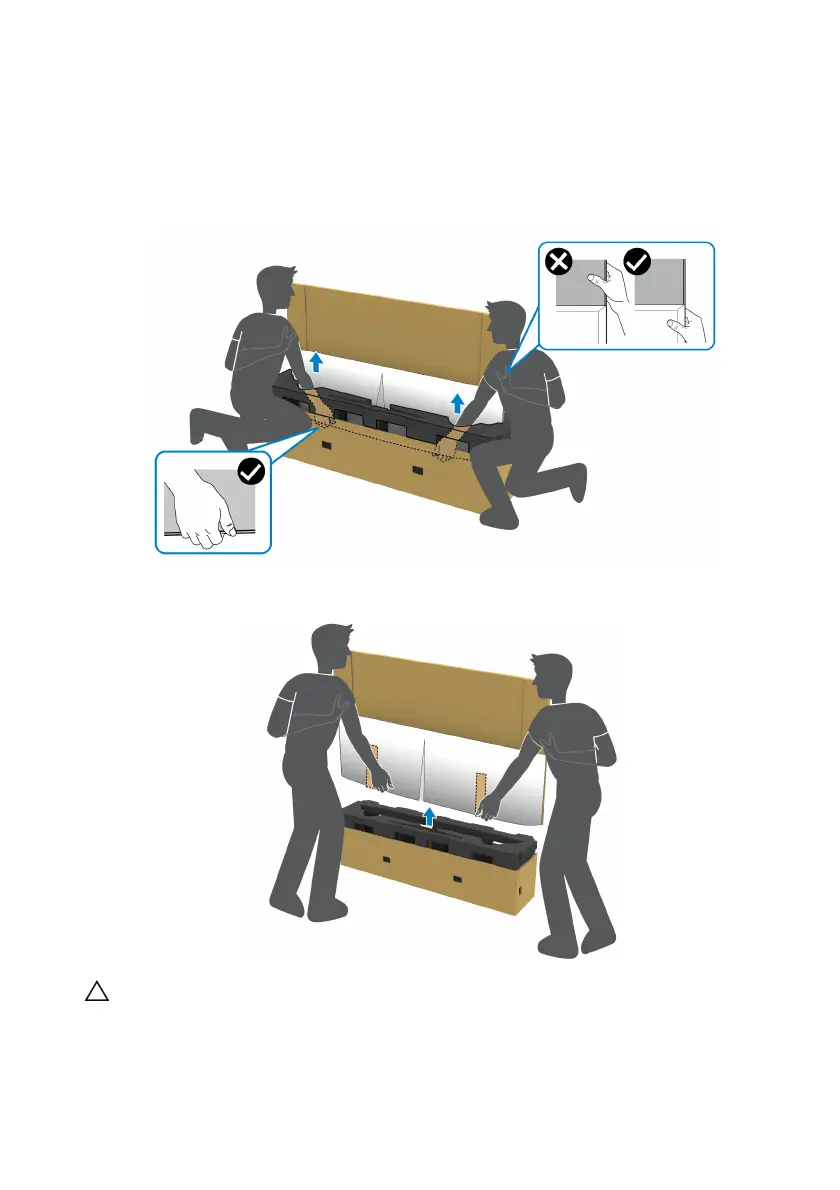
5. Remove
the monitor from the packaging cushion.
a. W
ith your partner, slide one hand in the cutout areas on the bottom
cushion, as shown in the image below.
b. W
ith your partner, hold the monitor with the other hand by the thicker
section of monitor side.
c. Lift the monitor off the package as shown in the image below.
CAUTION: Do not press on the panel screen when lifting the monitor.















 To Next Page