Setting up the monitor | 31
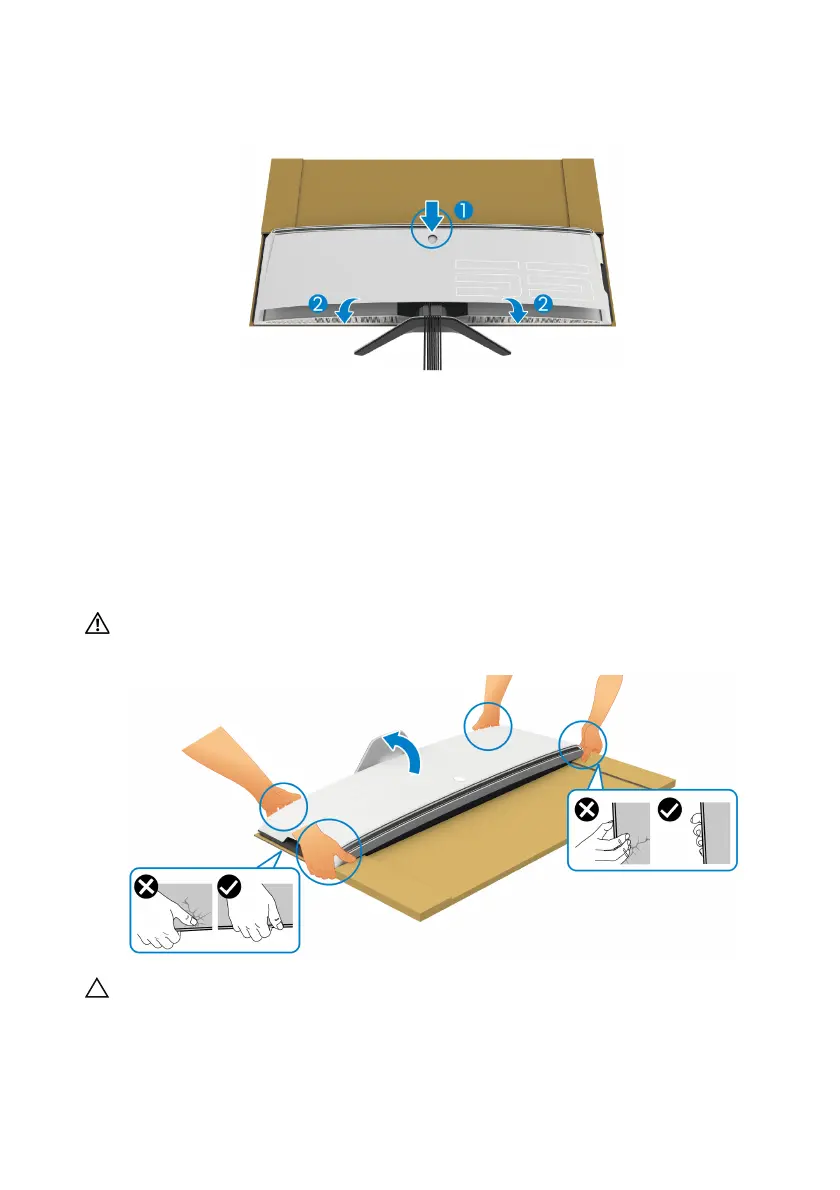
13. Align and place the I/O cover outer edges to the monitor rear recess. The
I/O cover will snap in place with magnetic force.
14. Car
efully lift the monitor with another person, taking care to place it on an
even surface.
a. W
ith your partner, use a hand to hold the bottom edge of the monitor, as
shown in the image below.
b. W
ith your partner, hold the monitor with the other hand by the thicker
section of monitor side.
c. Li
ft the monitor.
d. Pl
ace the monitor in an upright position.
WARNING: Two people are required to lift the monitor as it is very
heavy.
CAUTION: Hold the monitor firmly
and do not press on the panel screen
when lifting to avoid any accidental damage.















 To Next Page