30 | Setting up the monitor
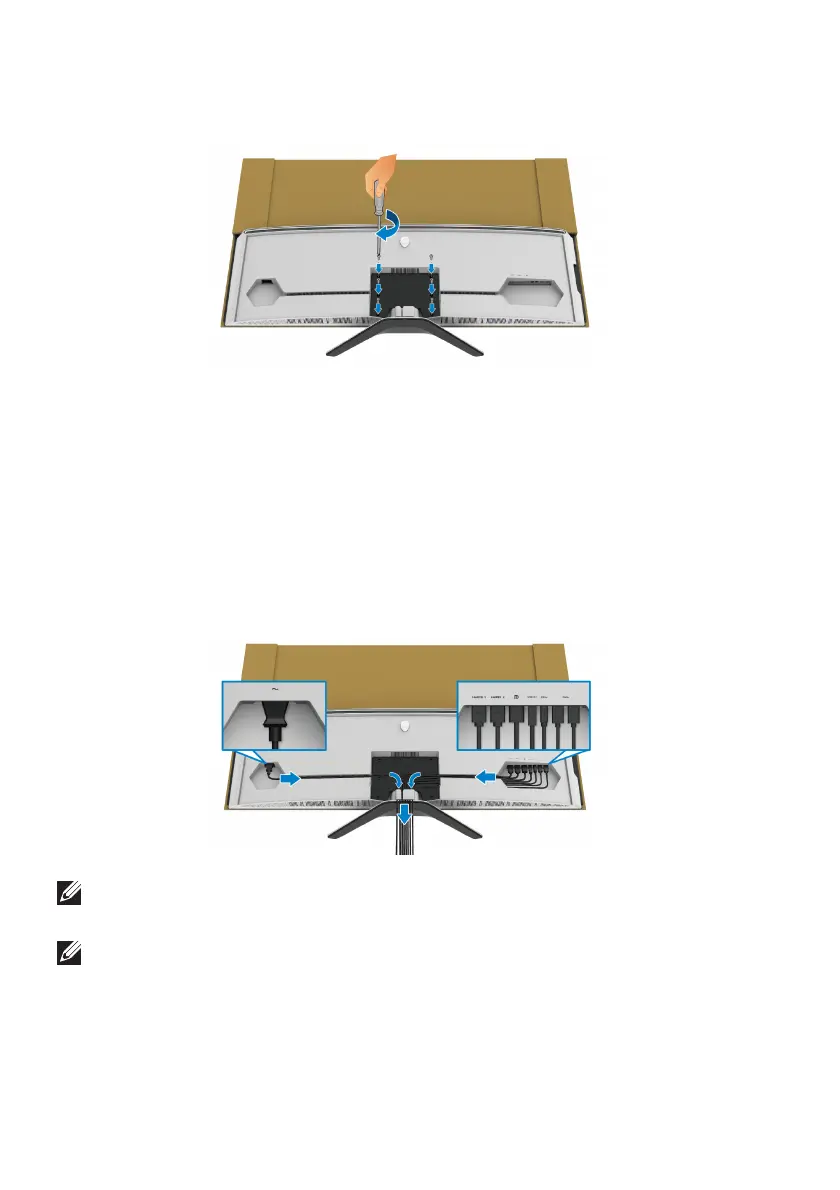
b. Us
ing a Phillips crosshead screwdriver, tighten the stand assembly to the
monitor with the four screws.
12. Connect the necessary cables to the monitor, and then secure the cables by
routing them through the cable-management channels and clip.
• Power cable
• HDMI cable
• DisplayPort cable
• S/PDIF audio cable (optional, cables are not included)
• USB upstream cable
• USB downstream cables (optional, cables are not included)
NOTE: Route each cable neatly so that the cables are organized before
the I/O cover is attached.
NOTE: Do not plug the power cable into the wall outlet or turn on the
monitor until you are instructed to do so.















 To Next Page