Setting up the monitor | 29
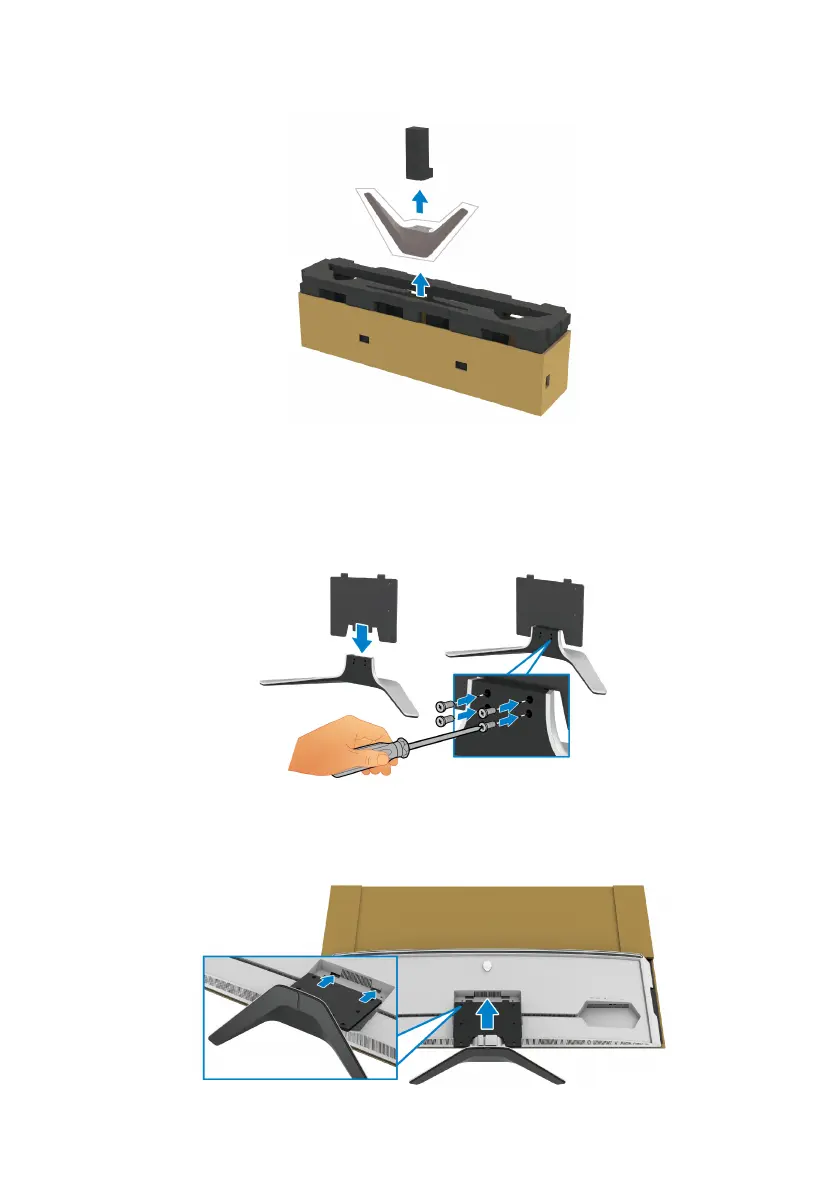
9. Remove the stand base from the packaging cushion.
10.Ins
ert the mounting bracket into the stand.
a. A
lign the screw holes on the bracket with the screw holes on the stand.
b. Us
ing a Phillips crosshead screwdriver, tighten the six screws to secure
the mounting bracket to the stand.
11. Attach the stand assembly to the monitor.
a. A
lign the stand with the screw holes on the back of the monitor.















 To Next Page