Professional
FM Transceiver
35
ADVANCED OPERATIONS
erased.
In frequency+channel mode, channel+Name Tag mode or VFO mode,
1 after pressing
【
A
】
key, while
icon is displayed on the top left corner, press
【
8
】
key to enter function menu.
2.Press
【
B
】
/
【
C
】
key to choose the desired function to be set.
3 Press
【
A
】
key to enter into function menu setup.
4.Press
【
B
】
key or
【
C
】
key to choose the desired parameters to be set.
5.Press
【
D
】
to return to upward menu. Press
【
#
】
key to set it and to exit.
NOTE:
This function is not available in the commercial radio mode. In VFO mode, once the radio is turned off or
changed to new VFO frequency, the channel operation setting will remain until next change.
Keypad Lock
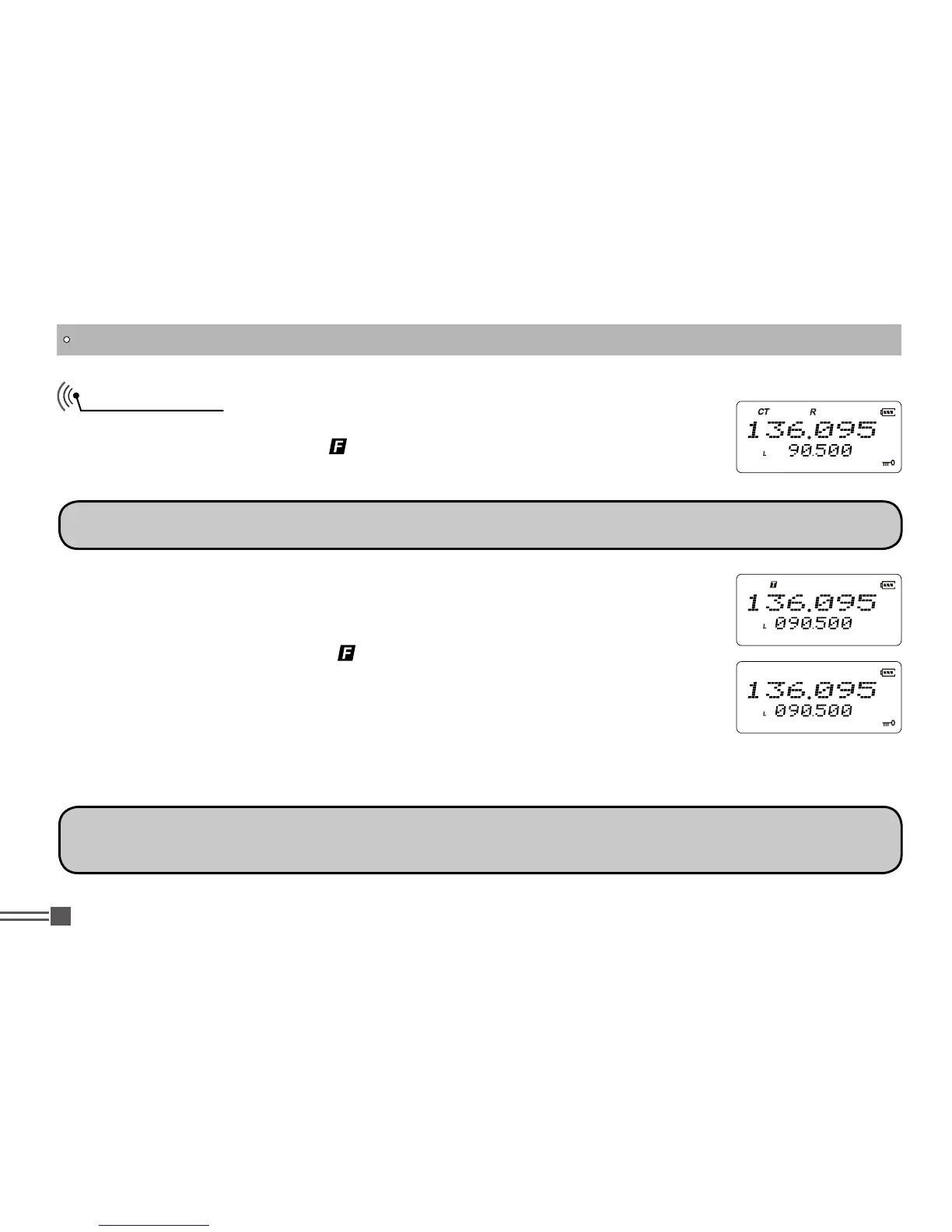
Keypad lock function is useful to prevent from wrong operation, In stand-by state,
after pressing
【
A
】
key, while
icon is displayed on the top left corner, press
and hold
【
#
】
key for 2 seconds to start keypad lock function. Repeat to cancel
the key lock function.
NOTE:
When keypad is locked, only PTT / PF1 / PF2 / A key are usable.
You may change currently set functions in channel mode temporary. Once the
radio is turned off or switched to another channel, such temporarily parameters are


 To Next Page