Professional
FM Transceiver
45
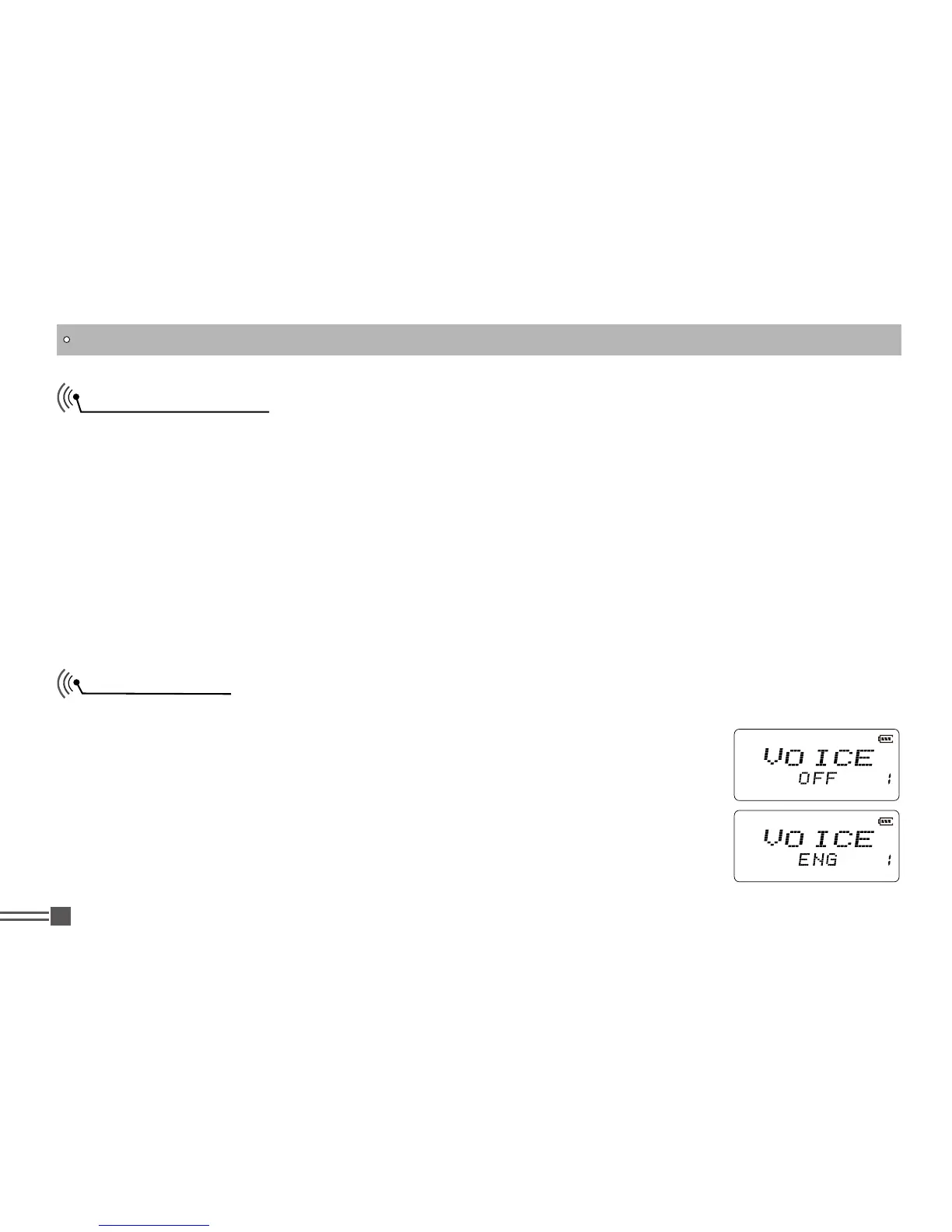
Voice Prompt
English Voice-guidance is available. Key touch and some other major operations are assisted with
English voice.
1.Press and hold
【
PF2
】
key while turning on the radio, and keep pressing
【
PF2
】
key for 3 seconds to enter into the Set Mode operations.
2.Press
【
B
】
/
【
C
】
key to choose the Menu 1 and display “
VOICE
”.
3.Press
【
A
】
key then press
【
B
】
key or
【
C
】
key to choose the parameter.
OFF:
Voice prompting is disabled.
ENG:
English guidance activated. Default is OFF.
SET MODE OPERATIONS
Set Mode Setting
The Set mode is used to customize the various operational parameters of DJ-A10. The Set Mode
parameters are stored and remain until next change regardless of power on/off operation. Set Mode
Setting operation is as follows and common to all available menus:
1.Press and hold
【
PF2
】
key while turning on the radio, and keep pressing【
PF2
】key for 3 seconds
to enter into the Set Mode operations.
2.Press
【
B
】
/
【
C
】
key to choose the menu.
3.Press
【
A
】
key to enter to the setup mode.
4.Press
【
B
】
key or
【
C
】
key to choose the desired parameter.
5.Press
【
D
】
key or
【
#
】
key to confirm and exit.



 To Next Page