Professional
FM Transceiver
38
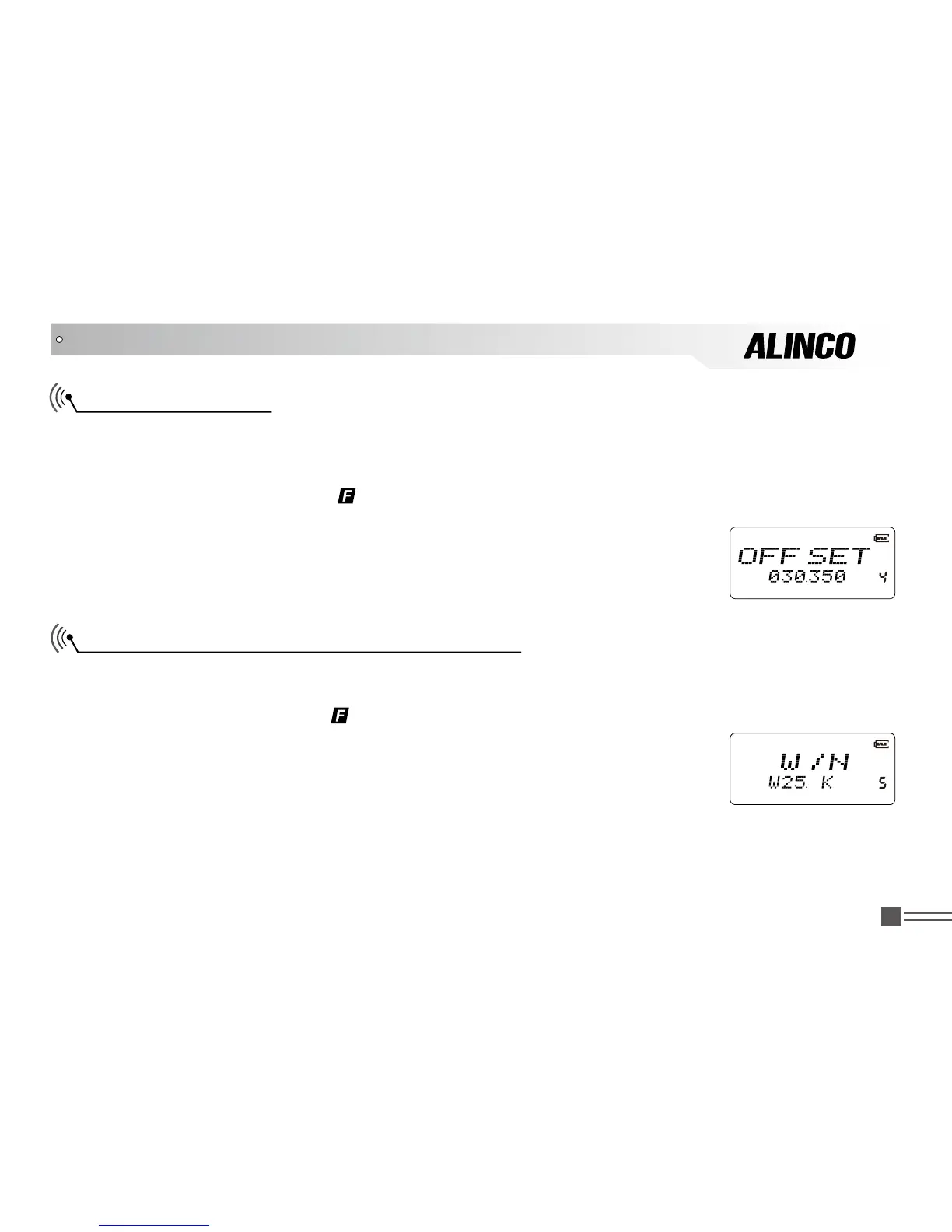
Wide/ Narrow Channel-spacing Selection
Set the proper channel-spacing value allocated to the radio services in your area. This is not a Channel-
step setting, but to determine the deviation width of the modulation.
1.after pressing
【
A
】
key, while
icon is displayed on the top left corner, press
【
8
】
key to enter into function menu.
2.Press
【
B
】
/
【
C
】
key to choose Menu 5 and display "
W/N
” .
3.Press
【
A
】
key then press
【
B
】
key or
【
C
】
key to choose the channel-spacing:
25K (wide band), 20K (middle band), 12.5K (narrow band). Default value is 25K (KHz).
ADVANCED OPERATIONS
Offset Frequency
In conventional repeater systems, a signal received on one frequency is retransmitted on another
frequency. The difference between these two frequencies is called the offset frequency. The selectable
offset frequency of this unit is from 0 to 70.00MHz.
1. after pressing
【
A
】
key, while
icon is displayed on the top left corner, press【
8
】key to enter into
function menu.
2. Press
【
B
】
/
【
C
】
key to choose Menu 4 and display “
OFFSET
”.
3. Press
【
A
】
key then press
【
B
】
key or
【
C
】
key to choose the offset
frequency. Available frequency range is 00-70MHz, and default is 0.000MHz.



 To Next Page