Professional
FM Transceiver
47
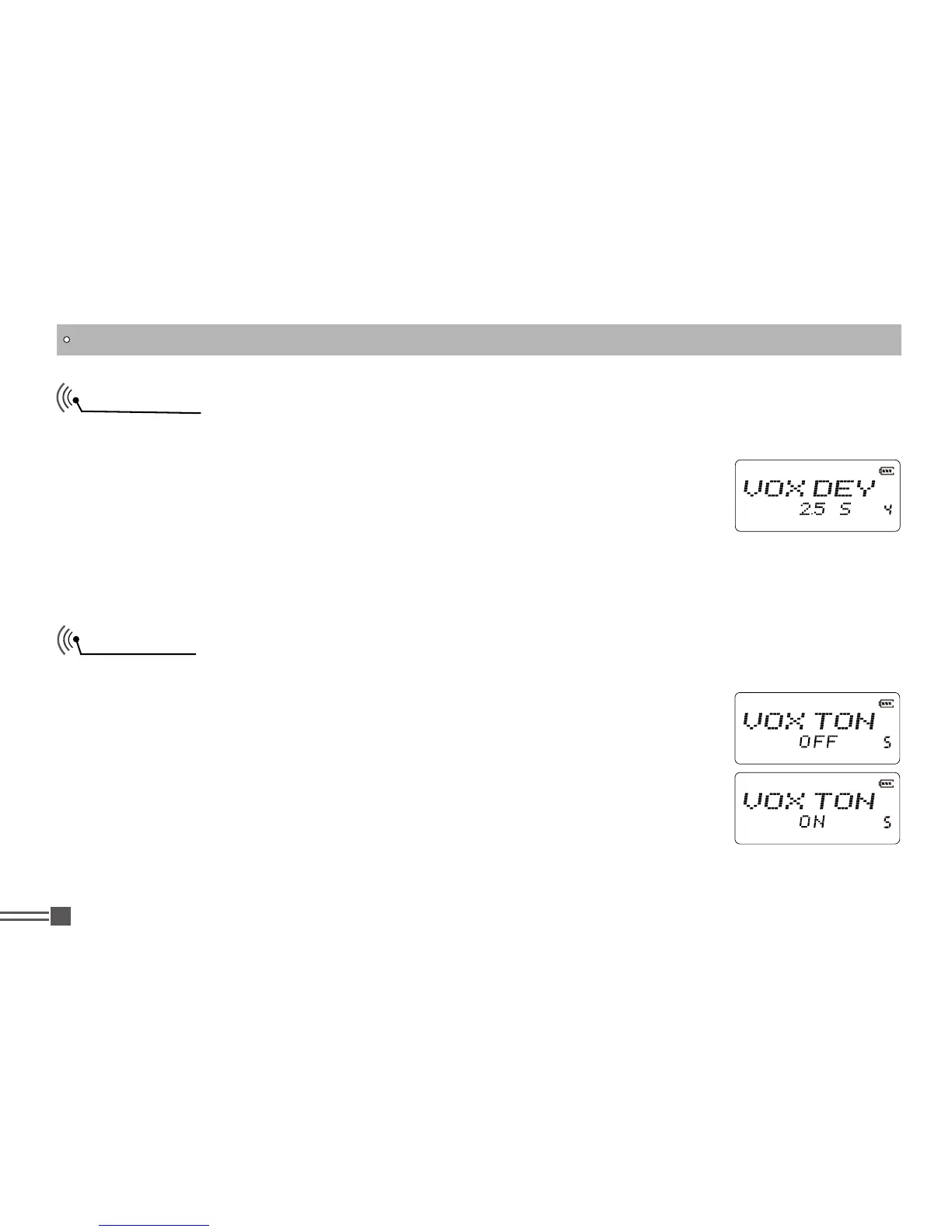
VOX Delay
This is to make a time delay at the end of VOX transmission. When you stop speaking to take breath,
the radio still holds the transmission for the time you set in this menu.
1.Press and hold
【
PF2
】
key while turning on the radio, and keep pressing
【
PF2
】
key for 3 seconds to enter into the Set Mode operations.
2.Press
【
B
】
/
【
C
】
key to choose the Menu 4 and display “
VOXDEY
”.
3.Press
【
A
】
key then press
【
B
】
key or
【
C
】
key to choose the parameter, that is from 0.5 to 5
seconds in 0.5 seconds step. Default is 2 seconds.
VOX Beep
After enabling this function, beginning transmitting by VOX, the transceiver will beep.
1.Press and hold
【
PF2
】
key while turning on the radio, and keep pressing
【
PF2
】
key for 3 seconds to enter into the Set Mode operations.
2.Press
【
B
】
/
【
C
】
key to choose the Menu 5 and display “
VOXTON
”.
3.Press
【
A
】
key then press
【
B
】
key or
【
C
】
key to choose the parameter.
ON:
VOX beeping is enabled.
OFF:
VOX beeping is disabled. Default setting is OFF.
SET MODE OPERATIONS



 To Next Page