EasyManua.ls Logo

Alinco DR-510E - Key Function Explanations

Alinco DR-510E
16 pages
Print Icon
To Next Page IconTo Next Page
To Previous Page IconTo Previous Page
Loading...
O
MHz
key
The
MHz
key
is
used
to
change
the
frequency
up
or
down
in
one
MHz
Steps.
Press
the
MHz
key,
and
the
decimal
point
and
kHz
digits
will
disappear
from
the
display.
The
frequency
in
MHz
will
be
changed
by
rotating
the
main
dial
or
pressing
the
UP/DOWN
buttons
on
the
microphone.
Press
the
MHz
key
again
or
the
PTT
Switch
to
retum
the
display
to
the
complete
frequency
readout.
BAND
is
used
with
the
F
key
to
select
VHP
or
UHF
band.
See
page
8.
o
VFO/M
(VFO/MEMORY)
key
VFO/M
is
used
to
select
VFO
or
Memory
mode.
Press
the
VFO/M
key
to
alternate
between
VFO
and
the
Memory
Channel
mode.
CH.SP
is
used
with
the
F
key
to
select
frequency
steps
for
program-
ming
and
scanning.
See
page
8.
(D
REV
(Reverse)
key
REV
is
used
to
invert
the
TX
and
RX
frequency
in
Repeater
mode.
LOCK
is
used
with
the
F
key
to
disable
the
Function
keys.
See
page
8.
(DSHIFTkey
The
SHIFT
key
is
used
to
select
the
desired
transmitter
offset
during
re
peater
or
Cross
Band
Operation.
When
the
key
is
pressed,
the
offset
mode
cycles
from
-
to
-h
to
Dual
to
Simplex.
(D
TONE
key
(DR-510E:
CTCSSkey)
The
TONE
key
is
used
to:
A.
Activate
the
Tone
frequency
selection
process.
See
page
12.
B.
Enable/Disable
the
Encode/
Decode
functions.
See
page
12.
The
BEEP
key
is
used
with
the
F
key
to
Enable/Disable
the
function
confirmation
tone.
See
page
8.
(E)
PRI
(Priority)
key
The
PRI
key
is
used
to
control
Priority
function.
See
pages
11-12.
(D
SCAN
key
The
SCAN
key
is
used
to
activate
the
frequency
scan
and
memory
Scan
functions.
See
pages
10-11.
The
SKIP
key
is
used
with
the
F
key
to
skip
busy
memory
frequencies
when
scanning.
See
page
8.
(DCALLkey
(DR-51OE:
Tone
Burst
key)
The
CALL
key
is
used
to
bring
Memory
Channel
"C"
to
the
display.
See
page
9.
The
CALL
W
is
used
to
enter
a
frequency
into
memory
Channel
"C".
See
page
9.
0
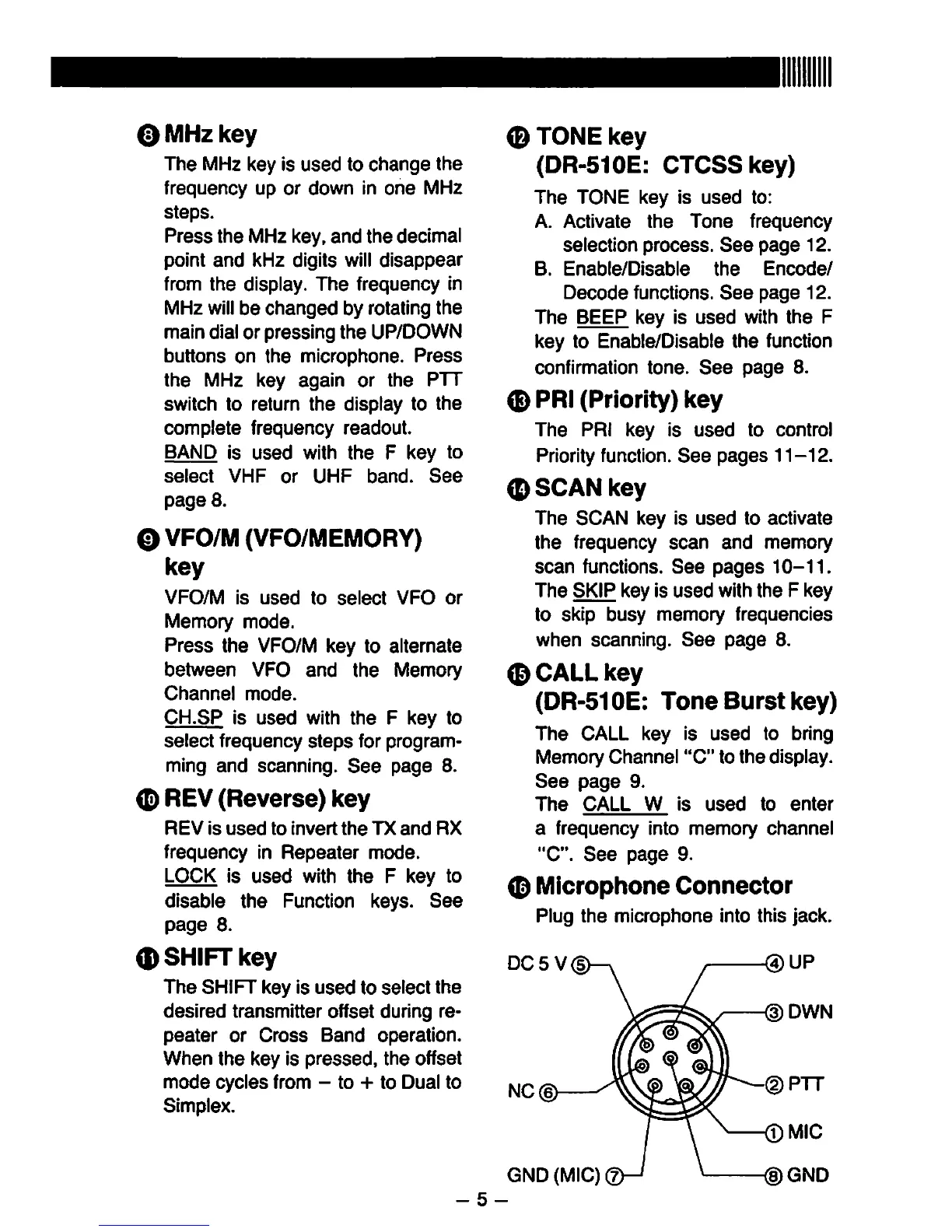
Microphone
Connector
Plug
the
microphone
into
this
jack.
DC5V
NC(|>
@UP
<DDWN
GND
(MIC)
®GND
-
5
-

Other manuals for Alinco DR-510E

Related product manuals