23
C048-740-30 R02, Rev. C (01/2020)
6.2.1 6.2.1 Alarm SeverityAlarm Severity
If an alarm occurs, a caution triangle will appear at the top of the
screen on the left side. The triangle will appear orange if there is
a minor alarm or red if there is a major alarm.
Table 19. Alarm Severity
ICON STATUS CAUSES
Minor Alarm Bus Overload Warning
Panel Overload Warning
Breaker Overload Warning
Breaker Not Inventoried
Major Alarm Breaker Trip
Bus Overload
Panel Overload
Breaker Overload
Bus Over Voltage
Bus Under Voltage
Panel Communication Lost
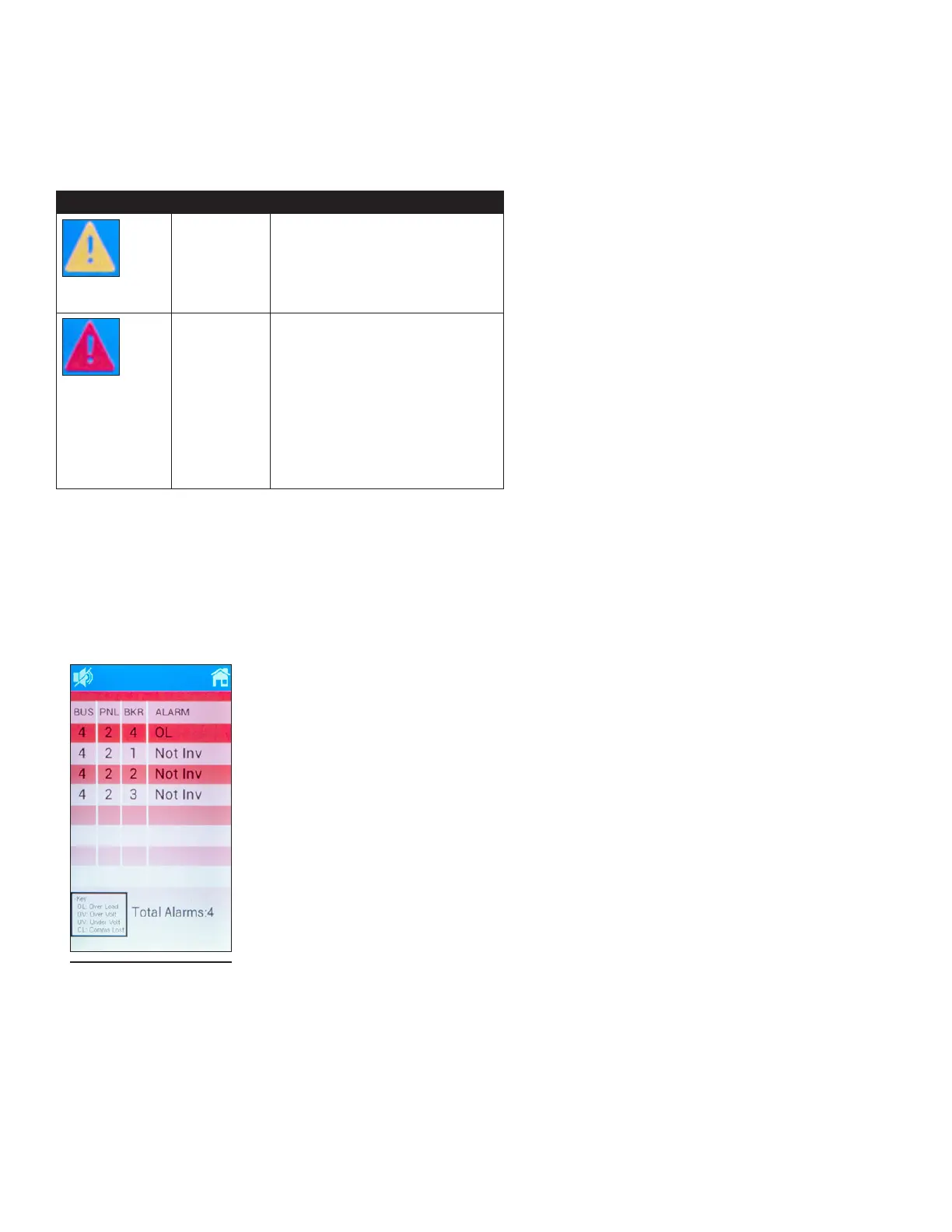
Step 1. Tap the alarm triangle to view alarm details. This will open
an alarm list that displays alarm locations, cause of alarms,
and number of alarms (see Figure 44). This list will show
up to eight of the highest priority alarms only.
Step 2. To mute volume, tap the volume icon located at the top of
the screen.
Figure 44. Alarm Info
(Major Alarm Shown)



 To Next Page