24
C048-740-30 R02, Rev. C (01/2020)
6.3 6.3 Settings MenuSettings Menu
The Settings menu ( ) allows the user to monitor and ne-tune
the BDFB system settings. Refer to interface map below for
menu layout.
Settings
┣
Volts Calibration
┣
Display
┃ ┣
Brightness
┃ ┗
Touch Calibration
┣
System
┗
Advanced
┣
BDFB Cong
┃ ┗
Yes/No
┣
Memory
┃ ┗
Clear EEPROM
┃ ┗
Yes/No
┗
Test Modes
6.3.1 6.3.1 Volts CalibrationVolts Calibration
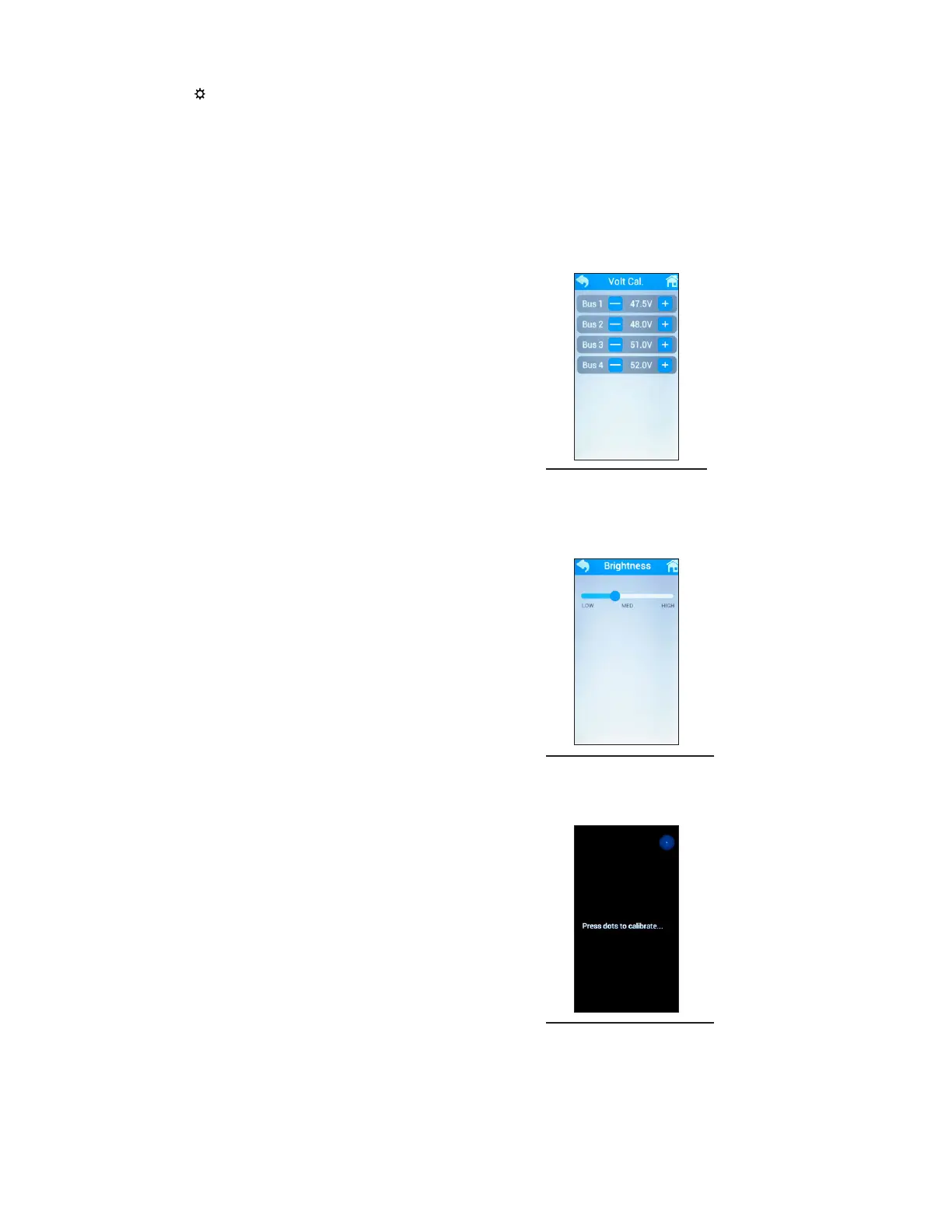
To calibrate the voltage per bus, adjust the voltage of each bus
by tapping the (-) or (+) buttons (see Figure 45).
6.3.2 6.3.2 DisplayDisplay
The Display menu allows access to adjustment of screen
brightness as well as access to the touch calibration feature.
┗
Brightness:
Screen brightness can be adjusted by moving the
slider horizontally (see Figure 46).
┗
Touch Calibration:
This feature is used by tapping the circles that will
appear at three points on the screen to calibrate
the touch screen display (see Figure 47). Note: This
causes the controller to reset.
Figure 45. Volt Cal.
Figure 46. Brightness
Figure 47. Touch Cal.



 To Next Page