31
C048-740-30 R02, Rev. C (01/2020)
6.9.2 6.9.2 Email & SNMP SettingsEmail & SNMP Settings
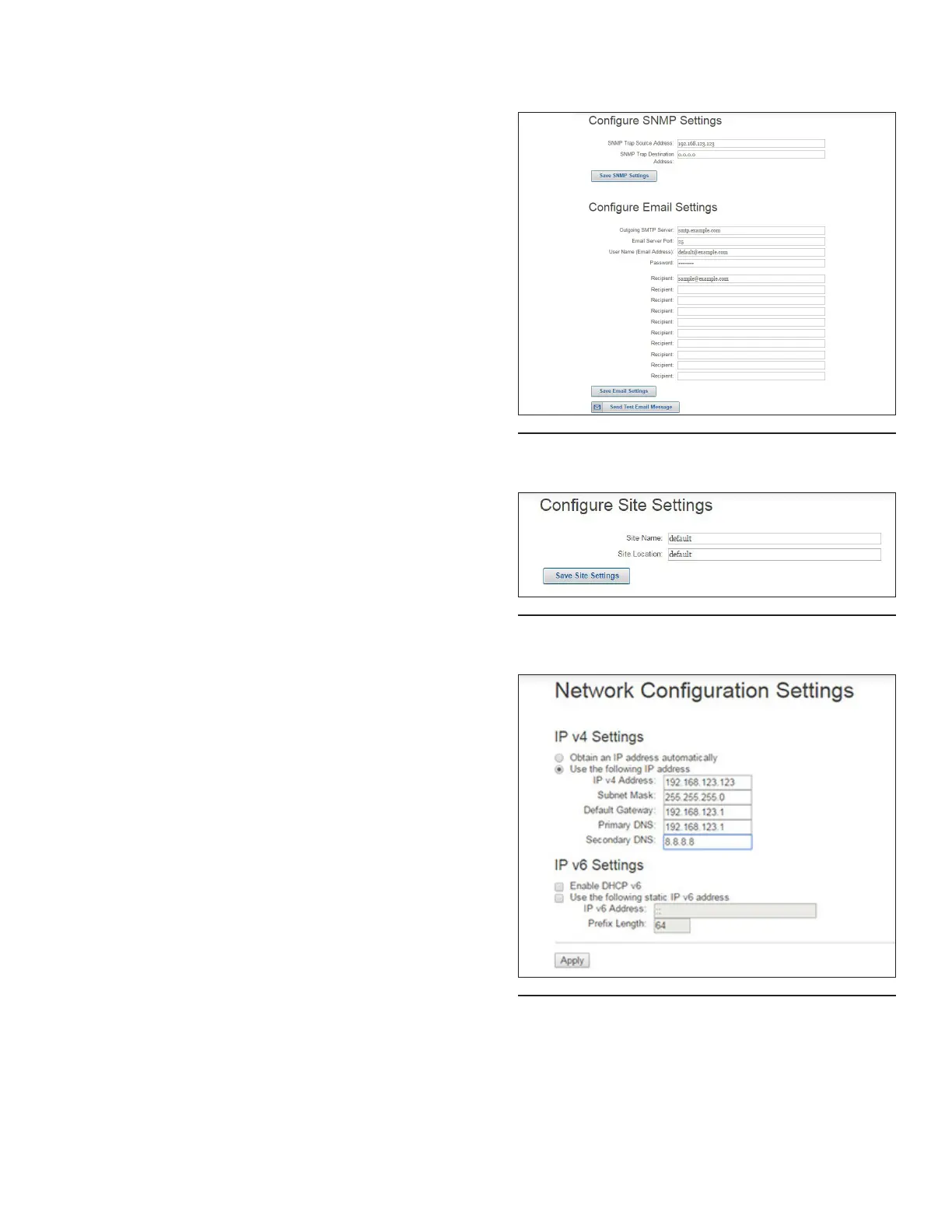
This page allows the user to congure the SNMP source
address (IP address of the ethernet module) and the SNMP
trap destination address (IP address of SNMP data receiver).
Once all settings have been entered, click Save SNMP
Settings.
This page also allows the user to congure email settings.
Once all settings have been entered, click Save Email Settings.
To conrm that entered conguration settings are correct, click
Send Test Email Message to receive a test email (see Figure
73).
6.9.3 6.9.3 Site SettingsSite Settings
This page allows the user to assign a site name and a site
location. Once these elds have been updated, click Save Site
Settings (see Figure 74).
6.9.4 6.9.4 Network SettingsNetwork Settings
This page allows the user to change or congure factory
network settings to communicate with the embedded
webserver (see Figure 75).
Enter desired network settings and click Apply. A reboot will
then be required (see Section 6.9.6 on Page 32).
Figure 73. Email & SNMP Settings
Figure 74. Site Settings
Figure 75. Network Settings



 To Next Page