If at any point your speaker stops working consistently, or you want to return to the
original factory settings, simultaneously press and hold the volume up and volume down
buttons on top of your speaker for 5-7 seconds.
10 / THE ALTEC LANSING VERSA™ NAVIGATOR APP
INTRODUCTION
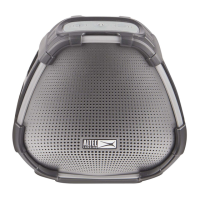
Your VersA™ speaker allows you to stream music from your phone or tablet and it also
acts as a voice assistant using Amazon Alexa. The Altec Lansing VersA™ Navigator
app will provide you control and full access to all the available features this speaker
supports.
You’ll find it simple to use the Altec Lansing VersA™ Navigator app for:
• Setting up your Altec Lansing VersA™ speaker:
Using the Altec Lansing VersA™ Bridge app you will connect your VersA™ speaker
to Wi-Fi and register it on Amazon. This will enable Alexa on your speaker.
• Streaming your music from your mobile device via Bluetooth:
The VersA™ BT Music Manager is used to connect and stream music from your
mobile device to the VersA™ speaker via Bluetooth. This will aggregate your various
music sources, locally stored on your mobile device and online music services.
SYSTEM REQUIREMENTS
• Android Phones and Tablets with OS 4.4 or higher
• iPhones and iPads with iOS 9.0 or higher
11











 To Next Page