3 VOLUME DOWN
Press the (+) button to increase the volume.
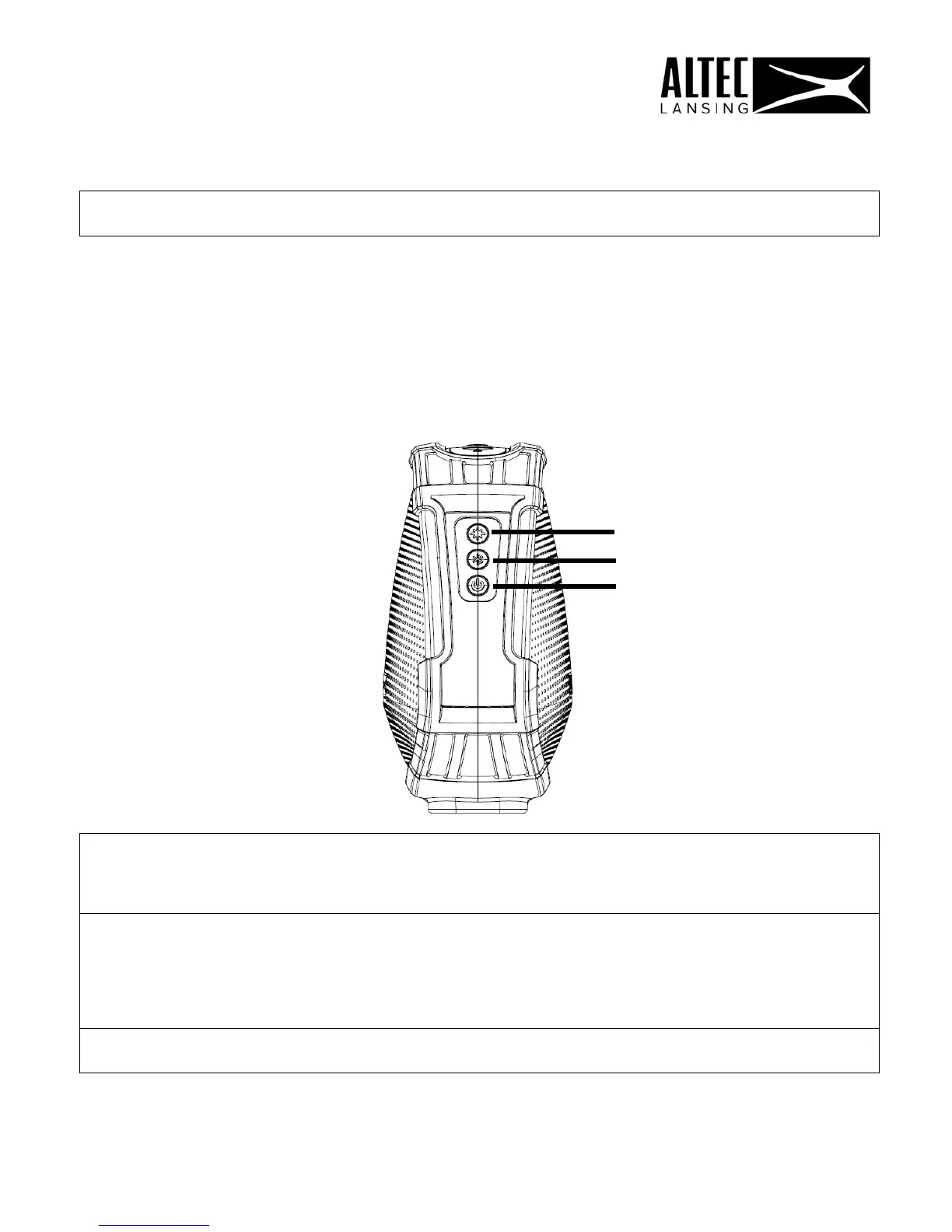
SIDE PANEL CONTROLS
The following control buttons are available on the side panel of the system.
1 POWER BUTTON
Long press (3 sec.): Turn the speaker ON/OFF.
Short press: Play/pause the current track.
2 MODE BUTTON
(BLUETOOTH / WI-FI)
Short press: Change to Bluetooth mode from Wi-Fi
mode.
Long press (3 sec.): Wi-Fi Connecting (WPS) Function.
3 MULTI MODE BUTTON
Short press (Wi-Fi): Turn the Microphone OFF/ON.
2
1
7











 To Next Page