2. TUTORIAL:
Scroll through the app’s tutorial and then tap “Get started”.
3. END USER LICENSE AGREEMENT:
Tap “Agree and continue” on the EULA acceptance screen to continue.
If “Decline” is selected, the app automatically closes. “Agree” must be selected to
continue the initial setup.
4. WELCOME:
The ‘Welcome’ introduction appears.
Tap “Start” to continue the initial setup.
NOTE:
- The Altec Lansing VersA™ Bridge app is required for setting up your speaker
to use Alexa. You must continue to the setup to install this application.
- The Amazon Alexa app is required to find enable skills for your Alexa enabled
speaker.
5. GET STARTED:
The ‘Get Started’ screen then appears.
To get started you will need the following:
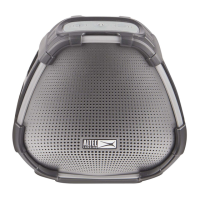
(1) Your VersA™ Speaker
(2) Power outlet to plug in your speaker
(3) Your mobile device (phone or tablet)
(4) Wi-Fi network connection that your speaker will connect to
Tap “Set Up New Speaker” to continue the initial setup.
13











 To Next Page