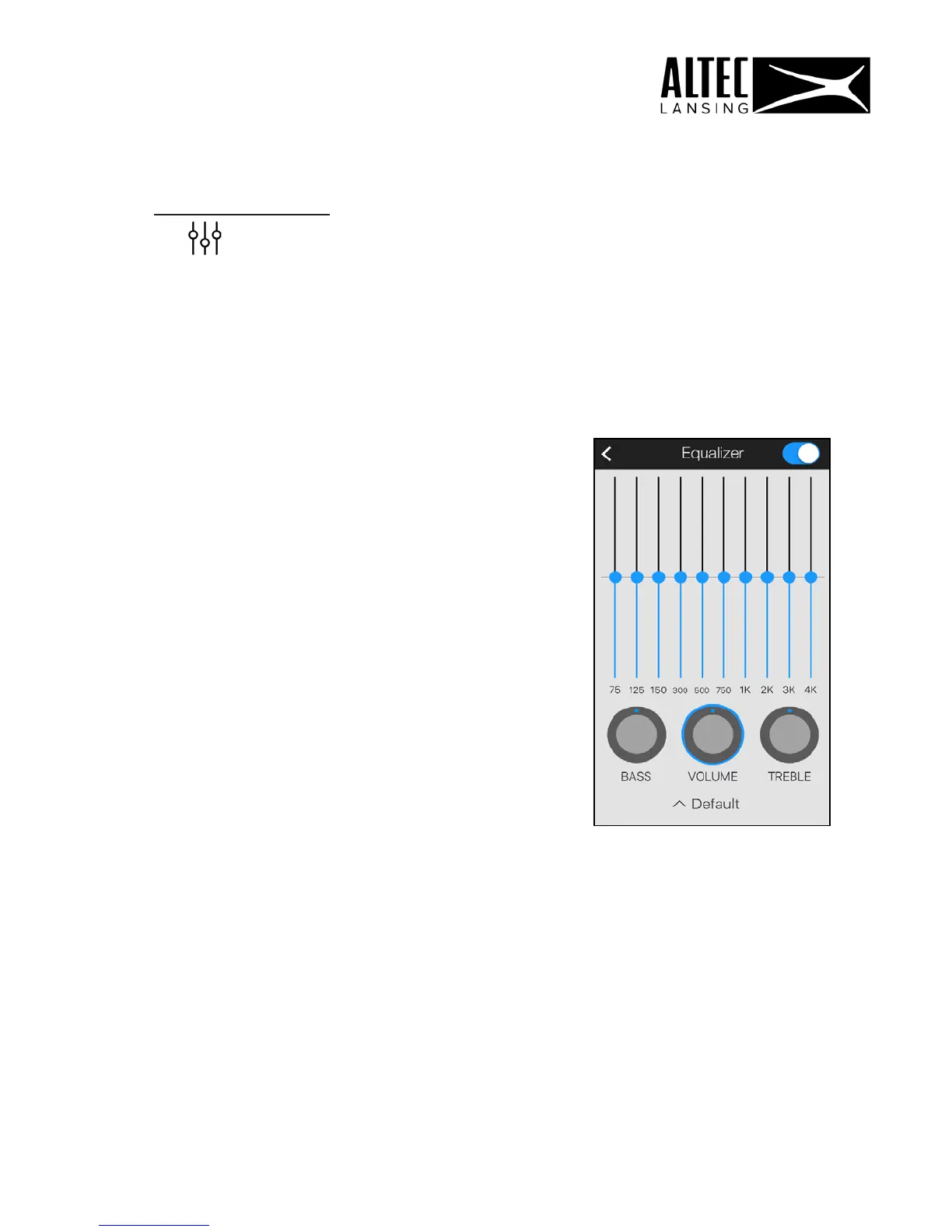
Equalizer Screen
1. Tap on the Equalizer icon on the Music Player to open the
‘Equalizer’ screen.
2. On/Off: Tap to turn Equalizer On or OFF.
3. Equalizer Presets: Select to apply equalizer presets based on the music
genre you want:
-
Default
-
Classical
-
Dance
-
Folk
-
Heavy metal
-
Hip-Hop
-
Jazz
-
Pop
-
Rock
-
FX booster
-
User
4. Equalizer controller:
Move the sliders up or down to adjust the
sound while the music is playing.
5. Volume, Bass and Treble controls:
Slide the blue dot to adjust the controls.
NOTE: On iOS, the equalizer is only available for songs on My Phone.
30












 To Next Page