2 / GETTING STARTED
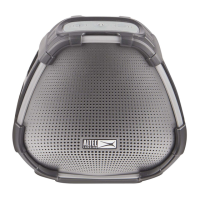
To begin using your speaker, be sure it is either charged or plugged in.
Please use the provided plug to charge your speaker.
Your speaker buttons are situated on the side panel and the top panel.
Side panel –
• “Multi-Mode” button (asterisk icon)
o While speaker is in Wi-Fi: turns the microphone on/off
o While speaker is in Bluetooth: changes LED colors
• Bluetooth/Wi-Fi toggle button (Bluetooth icon)
• Power button
Top panel –
• Volume controls
• “Action Button” (microphone icon)
o Manually activates Alexa
o Turns off alarms/reminders
To enable Amazon Alexa on your speaker, you’ll need to:
1. Connect your speaker to a Wi-Fi network
2. Register your speaker on Amazon
These are done through the “Altec Lansing VersA Bridge” app which
can be accessed from the “Altec Lansing VersA Navigator” app. See
detailed instructions below.
3











 To Next Page