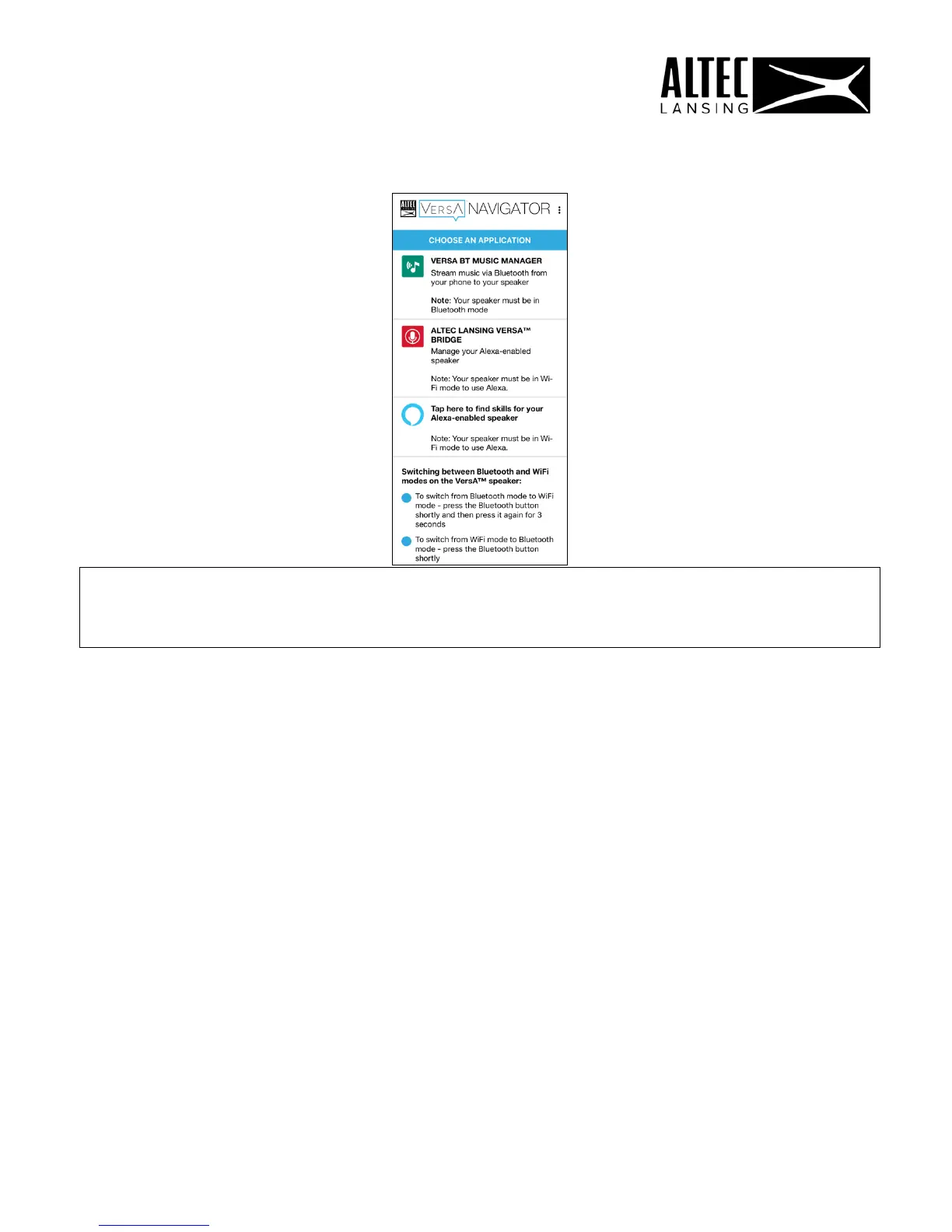
11 / ALTEC LANSING VERSA™ BRIDGE
The Altec Lansing VersA™ Bridge app connects your VersA™ speaker to Wi-Fi and
allows your speaker to work with Amazon Alexa voice control. This gives you access to
music, news, weather shopping and more.
The Altec Lansing VersA™ Bridge app also allows you to control your VersA™ speaker.
You can set up additional speakers or remove speakers, rename your speakers, and
view speaker details including your speaker’s Wi-Fi signal and battery status.
1. From the Home Screen, tap “Altec Lansing VersA™ Bridge”.
2. The Altec Lansing VersA™ Bridge app opens.
NOTE: If the app was not installed during the initial setup, you will be prompted to
install the app via the online Store. Once installed, please return to the Altec
Lansing VersA™ Navigator app.
17











 To Next Page