Commissioning
Amatron+ BAG0082.2 10.10 29
5.6 Setup menu
In the setup menu
Diagnosis data for the customer service for maintenance or mal-
functions are input/output,
Machine basic data are selected and entered or special optional
equipment is switched on and off (only for customer service).
The settings in the setup menu is a workshop operation and must be
carried out only by qualified personnel!
Select "Setup" in the main menu!
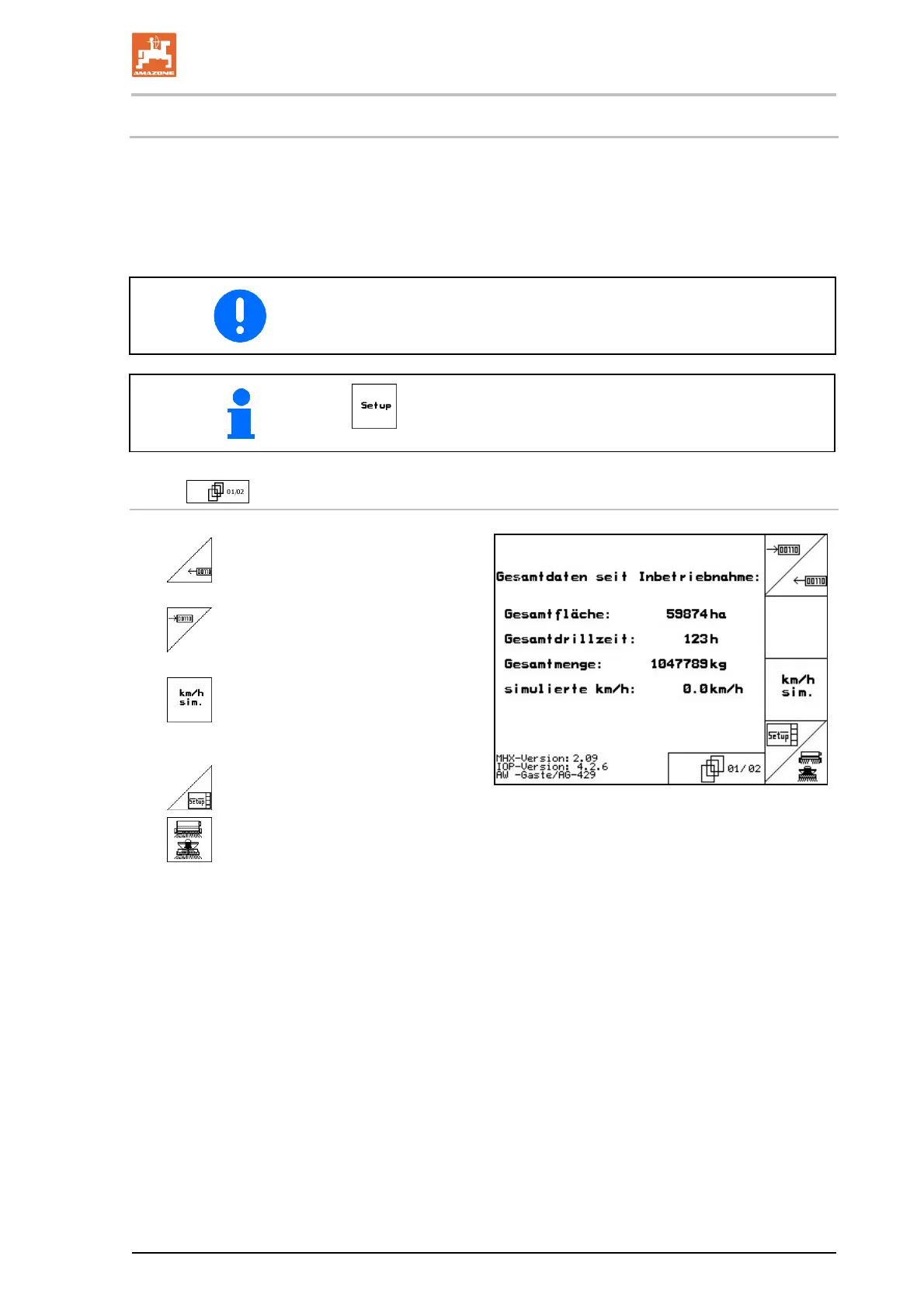
Page 1 of the setup menu (Fig. 32):
Diagnosis computer input
(only for customer service).
Diagnosis computer output
(only for customer service).
Enter simulated speed for continued
working with defective distance sensor (see
on page 56).
Terminal Setup (see on page 35).
Enter basic data.
Fig. 32












 To Next Page