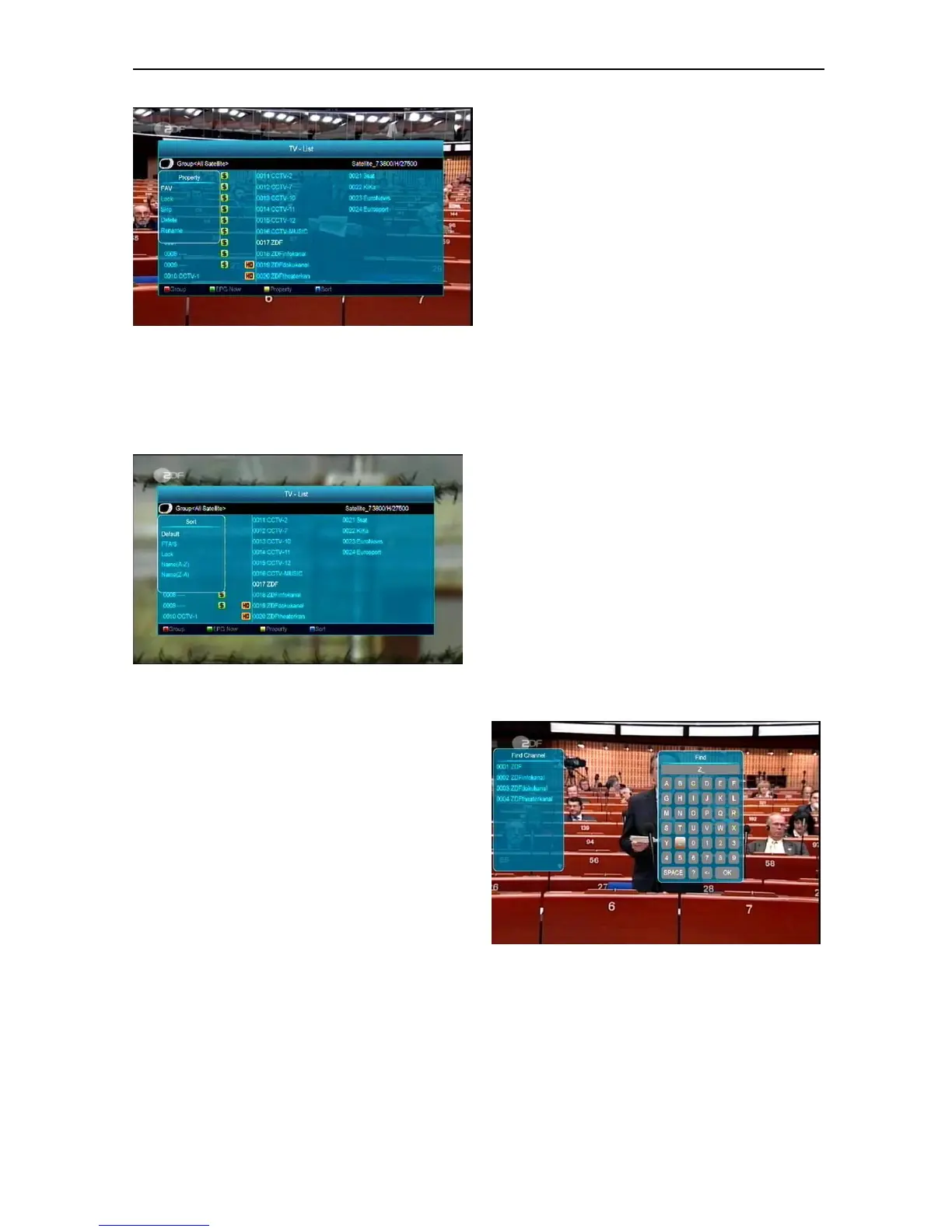
5 Press [Blue] key to open the “Sort” window like
below. There are five kinds of sorting ways. You
can press [Channel Up/Channel Down] key to
move highlight and press [OK] key to confirm your
selection.
6 The five ways of sorting are:
Default: Sorting by scanning result.
FTA/$: Sort channel through free and
scrambled sequence. Free channels will
appear at the beginning of the channel list
and scrambled channels will appear at the
end of the channel list .
Lock: Accumulate all locked channels and list
in the end of TV Channel List.
Name (A-Z): Sort in Alphabetical Order,
ignore “$” symbol.
Name (Z-A): Sort in Alphabetical Order,
ignore “$” Symbol.
7 Press [Up/Down] key to move highlight and press
[OK] key to play the highlighted channel.
8 Press [P -/ P +] key to page up and page Down.
9 Press [Exit] key to exit the channel list.
8.15 Sleep
1 This function can set sleep timer. When you set a
sleep timer and the time arrives, the system will
automatically enter standby mode.
2 Pressing [SLEEP] key, it will switch the mode
between Sleep Timer Off /10/30/60/90/120
minutes.
8.16 Page Up/Page Down
In Channel list, press [Page+/Page-] key to page up and
page down the channel list.
8.17 TEXT
1 Press [TTX] key in full screen, you can open
teletext page on any channel which has teletext
information.
2 If the channel has no teletext information, it will
show “No Teletext Data” on the screen.
8.18 Subtitle
1 Press [Subtitle] key in full screen, you can switch
subtitle on or off.
2 If the channel has no subtitle information, it will
show “No subtitle Data” on the screen.
8.19 Find
1 Press [Find] key in full screen can open the
“Find” window like above. You can press
[Channel Up/Channel Down/Volume
Up/Volume Down] key to move highlight and
press [OK] key to input the selected symbol
or letter into the dialogue.



 To Next Page