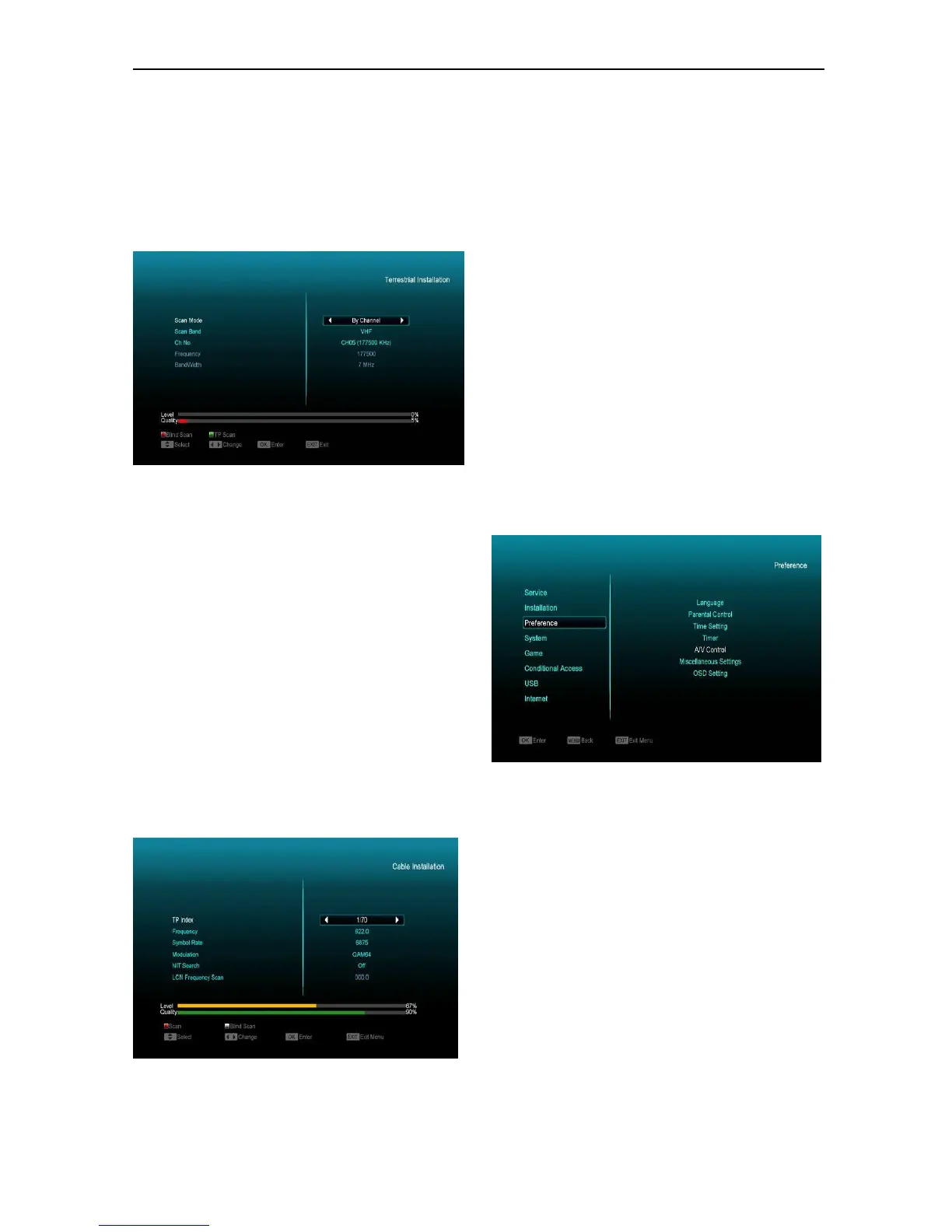
1 You can select the Bandwidth according different
country.
2 You can set the Tuner Power ON/OFF.
3 Press [white] key can directly into blind scan
mode to scan the current programs.
4 Press [Green] key to enter the following menu.
Scan Mode
1 There are two modes. You can scan channel by
channel or by frequency”.
2 When scan band is UHF and region is “France”,
the range of Ch No. is from 21 to 69. When scan
band is VHF and region is “France”, the range of
Ch No. is from 6 to 12.(it’s according to region)
3 You can press [left/right] key to select LCN On/Off
option.
4 Press [white] key to enter blind scan menu, or
press [Green] key to enter TP scan menu.
5 Press [Exit] key to exit the scanning.
10.6 Cable Installation
Press [OK] key to enter the selected item.
1 You can select the Scan Mode, Manual Scan or
Blind Scan.
2 You can input the Frequency by use the numeric
button of the RCU.
3 You can input the Second Frequency by use the
numeric button of the RCU, if you set the Scan
Mode to Manual Scan.
4 You can input the Symbol Rate by use the numeric
button of the RCU.
5 You can select the QAM value among
16QAM,32QAM,64QAM,128QAM and 256QAM.
6 You can turn ON or OFF the NIT Search, if you set
the Scan Mode to Manual Scan.
7 You can use numeric keys to input the
Frequency for LCN Frequency Scanning.
8 When you complete your modification, press OK
button on Search item to enter Scan menu and
then press OK button, it will begin to scan.
11. Preference
When you enter “Preference” menu, you will see the
screen like below:
In “Preference” menu:
1 Press[Channel Up/Channel Down]key to select
menu items among Language, Parental Control,
Time setting, Timer, A/V Control, Miscellaneous
Settings and OSD Setting.
2 Press[OK]key to enter the selected item.
11.1 Language
When you enter “Language” menu, you will see the
screen like below:


 To Next Page