1 Press [Left/Right] key to select menu pages
among Service, Installation, Preference,
System, Conditional Access, Internet,USB
and Game.
2 Press [OK] key to enter the “Installation”
menu. If Menu Lock is “On”, it will display a
dialogue box for user to input password. The
default Password is “0000”.
3 Press [Up/ Down] key to select menu items.
Press [menu] key to go back to main menu.
10.1 Satellite Installation Satellite
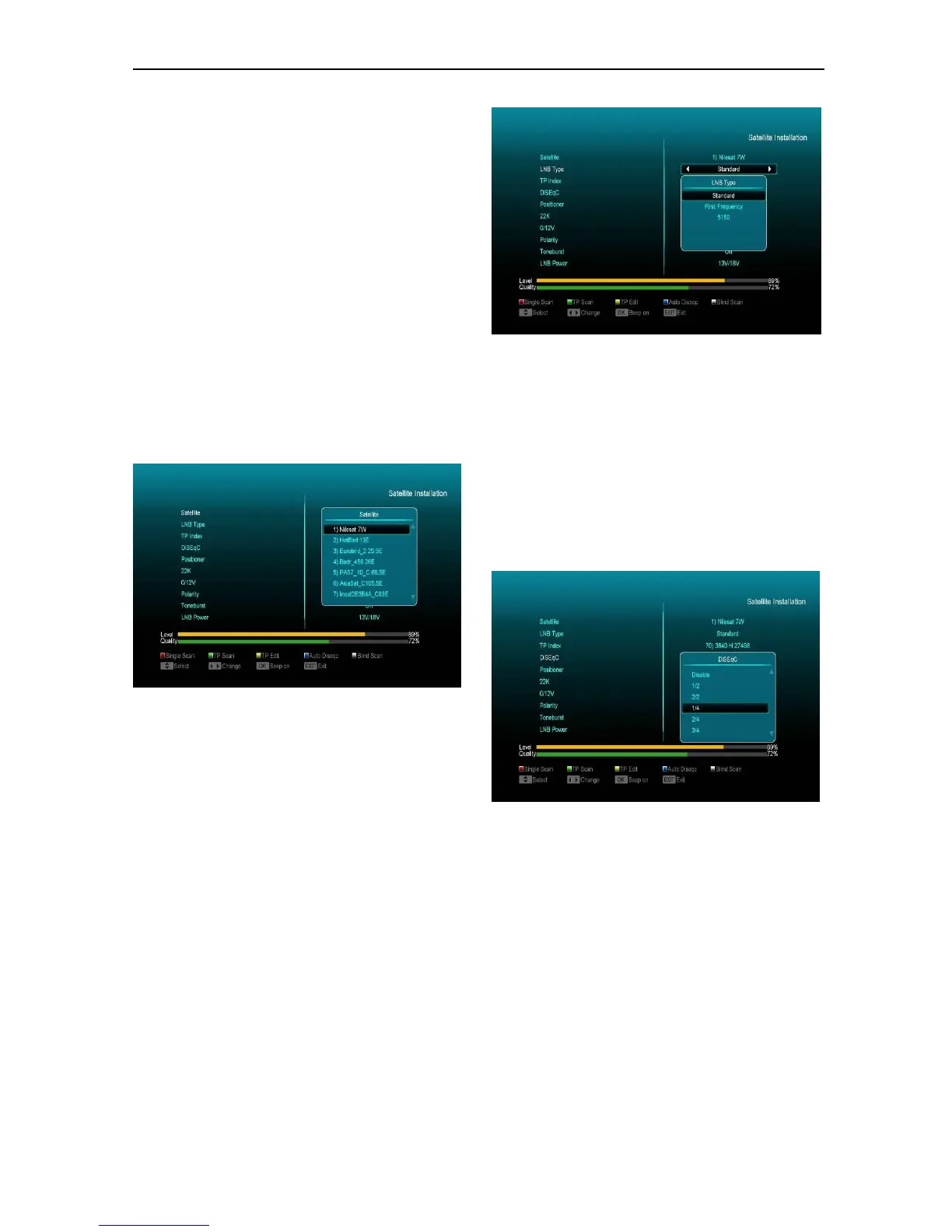
1 Satellite: Press [OK] key to enter the Satellite
list.
2 Press [Up/ Down] key to select satellite.
Press[Page] key to page up or page down.
LNB Type
In this item, press [left/right] key can switch
among “Standard”, “User”, "unicable" and
“Universal” mode.
For Example: If you use the unicable LNB, then
you should select “Unicable” option in “LNB Type”
and press OK button will display the submenu for
Unicable setting, like the following picture, you can
select the SCIF Channel, SCIF Frequency and
Satellite Position according to your LNB type.
DiSEqC1.0/ DiSEqC1.1
DiSEqC: You can use [left/right] key to switch
options. There are several options for your
selection:
a) Disable: without DiSEqC.
b) 1/2, 2/2: two ports DiSEqC
c) 1/4, 2/4, 3/4, 4/4: 4 ports DiSEqC
d) 1/8, 2/8… 8/8: 8 ports DiSEqC
e) 1/16, 2/16….16/16: 16 ports DiSEqC
Positioner
Positioner: In “Positioner” item, you can press [/
Volume Down]key to switch “Off / DiSEqC 1.2 /
USALS” functions.
22K
You can use [left/right] key to switch “ON / Off”.
When this item is switched to “ON”, receiver will
receive TV and radio input signal from 22K port. If
the item is switched to “Off”, the receiver will
receive all signal from 0K port.
! Notice
When you choose LNB type “Universal”, you
cannot modify 22K.


 To Next Page