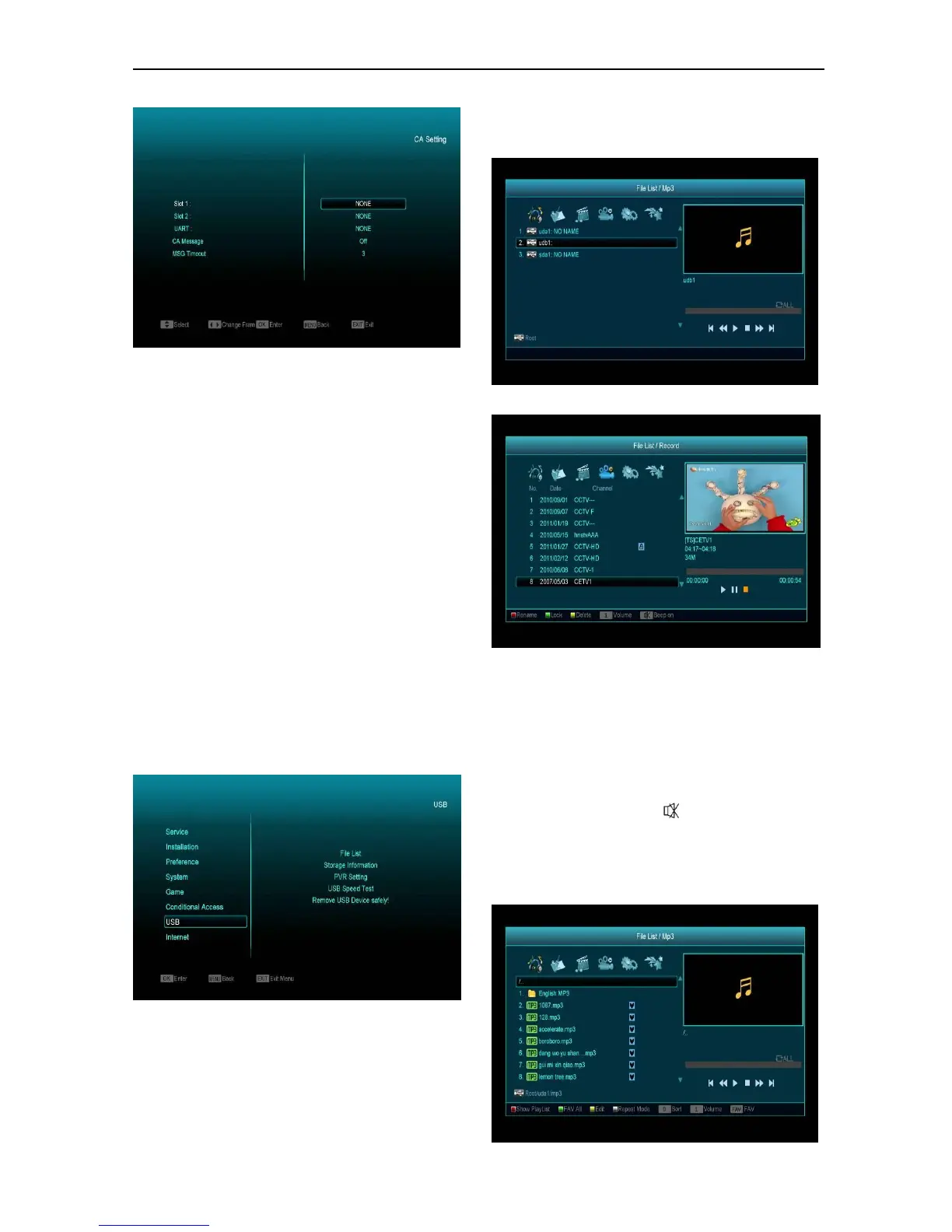
Note:
All information showed in this menu and submenu
are coming from inserted card. In case anything is
wrong, there could be a problem with the card.
After inserting the card correctly at any time, a
message-box will show on the screen with
message about detecting the card, in "card info"
menu all available information will be displayed.
You can press [left/right] key to set the message
display time.
14. USB
If you enter the "USB" Menu, you will see the
picture like below:
Note: If no USB Hard Disk inserted into the
receiver this menu is not available.
14.1 File List
In this menu you can select the file list from USB A
or USB B. Press [ok] button to enter the File list.
you can check the files and folders of the USB
storage and you can play MP3 and JPEG files.
14.1.1 Record Files
In this menu you can playback the recorded files,
and you can press [Red] key to rename the file, or
press [Green] key to lock the file, or press [Yellow]
key to delete the file.
You can press [1] key to adjust the volume while
you preview the record file on top of the right
corner and you can press to enable or disable
the audio.
14.1.2 MP3 Files


 To Next Page