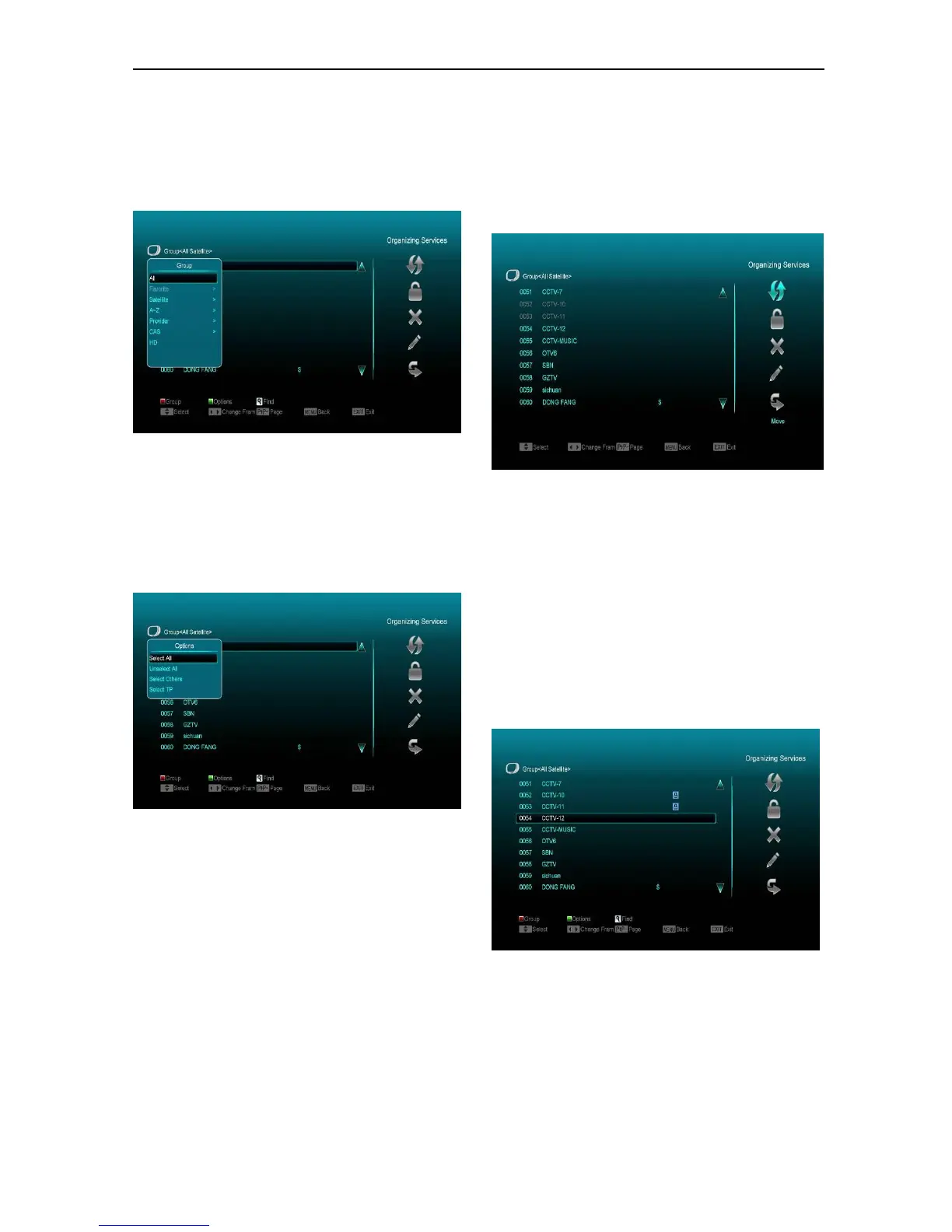
5 Press color key can implement the
corresponding function in “Organizing
Services”.
Groups
1 Press [Red] key to open the “Groups” window
like above.
2 You can press [Up/Down] key to move
highlight and press [OK] key to select group.
3 Press [Menu] key to close “Groups” List.
Options
1 Press [Green] key to open the “Options”
window like above.
2 You can press [Up/Down] key to move
highlight and press [OK] key to confirm the
select mode.
3 Press [Menu] key to close “Options” List.
Move
1 Select the channels that you want to edit in
channel list by pressing [OK] key or other
select mode.
2 Then press [Right] key to move the highlight
to right toolbar.
3 Select Move icon by pressing [Channel
Up/Channel Down] key and [OK] key.
4 Move the channels to the position that you
want and press [OK] key to confirm. Like the
following picture:
Lock
1 Select the channels that you want to edit in
channel list by pressing [OK] key or other
select mode.
2 Then press [Right] key to move the highlight
to right toolbar.
3 Select Lock icon by pressing [Channel
Up/Channel Down] key and [OK] key.
4 Lock the channel by pressing [OK] key.
Like the following picture:
Delete
1 Select the channels that you want to edit in
the channel list by pressing [OK] key or other
select mode.
2 Then press [Right] key to move the highlight
to right toolbar.



 To Next Page