CONNEX
TM
User Guide
26
Setting Up the CONNEX Ground Unit
We highly recommend that you use the provided Amimon cables. If an alternate cable
is used, make sure that it is of the highest quality.
X To set up the CONNEX Ground Unit:
1 Refer to the Placement Guidelines – Ground Unit section on page 27 for a description
of the mandatory requirements and the best practices for optional placement of
the Ground Unit and its antennas.
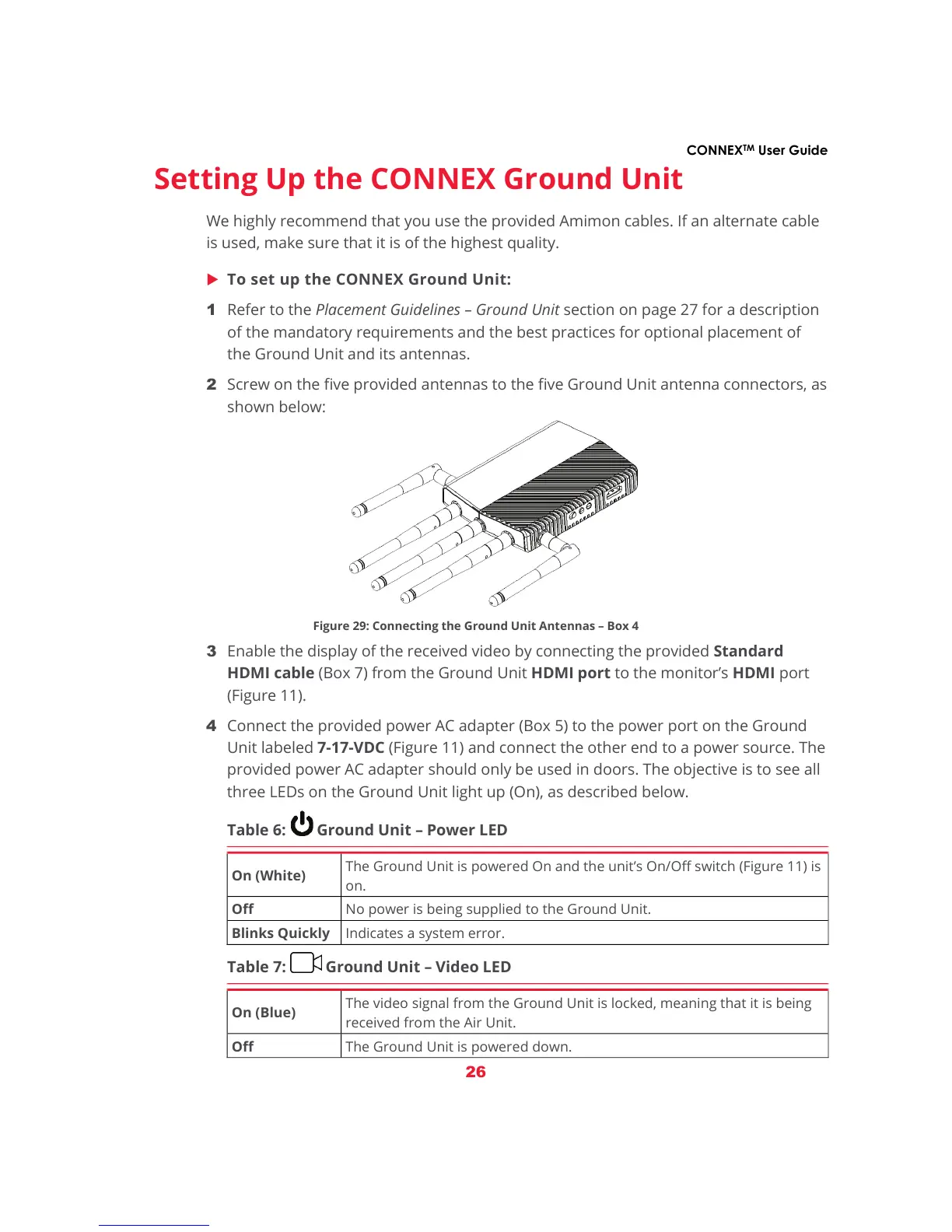
2 Screw on the five provided antennas to the five Ground Unit antenna connectors, as
shown below:
Figure 29: Connecting the Ground Unit Antennas – Box 4
3 Enable the display of the received video by connecting the provided Standard
HDMI cable (Box 7) from the Ground Unit HDMI port to the monitor’s HDMI port
(Figure 11).
4 Connect the provided power AC adapter (Box 5) to the power port on the Ground
Unit labeled 7-17-VDC (Figure 11) and connect the other end to a power source. The
provided power AC adapter should only be used in doors. The objective is to see all
three LEDs on the Ground Unit light up (On), as described below.
Table 6: Ground Unit – Power LED
On (White)
The Ground Unit is powered On and the unit’s On/Off switch (Figure 11) is
on.
Off No power is being supplied to the Ground Unit.
Blinks Quickly Indicates a system error.
Table 7: Ground Unit – Video LED
On (Blue)
The video signal from the Ground Unit is locked, meaning that it is being
received from the Air Unit.
Off The Ground Unit is powered down.



 To Next Page