CONNEX
TM
User Guide
45
Unregistering All Ground Units
Note: There is no option to unregister one Ground Unit at a time.
X To unregister all Ground Units from a specific Air Unit:
1 Make sure that the computer on which the CONNEX Management application is
installed is connected to the Internet and is connected to the Air Unit via a Micro
USB cable.
2 Launch the CONNEX Management application by double-clicking its desktop icon.
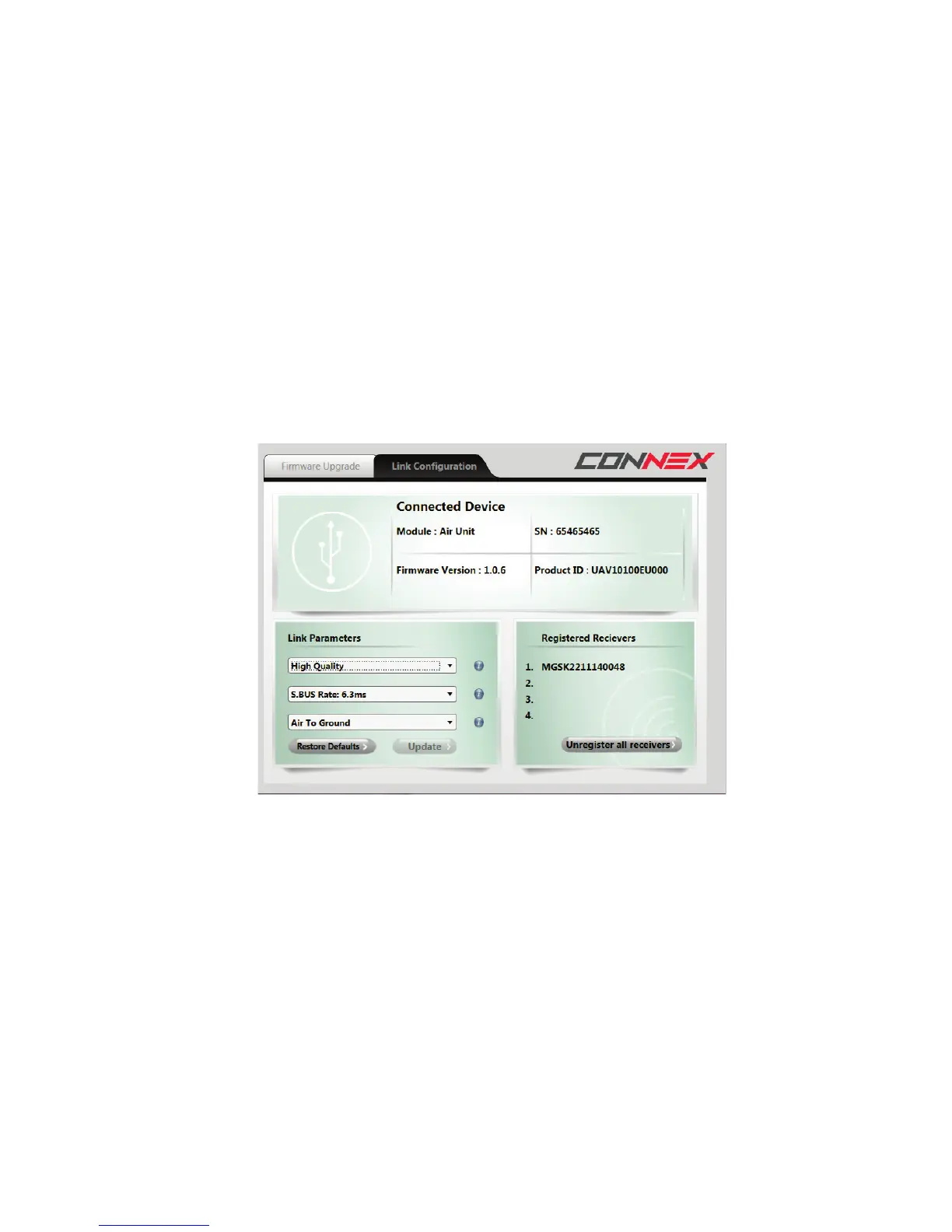
3 Click the Link Configuration tab. The bottom right of the window displays a list of
Ground Units registered with this Air Unit, as shown below:
Figure 42: Unregistering Ground Units
4 Click the Unregister all receivers button.
For information about registering, you may refer to the Multicasting to Multiple Ground
Units section on page 34.



 To Next Page