CONNEX
TM
User Guide
44
Checking the Ground Units Registered to an
Air Unit
X To see which Ground Units are registered to an Air Unit:
1 Make sure that the computer on which the CONNEX Management application is
installed is connected to the Air Unit via a Micro USB cable.
2 Launch the CONNEX Management application by double-clicking its desktop icon.
3 Click the Link Configuration tab.
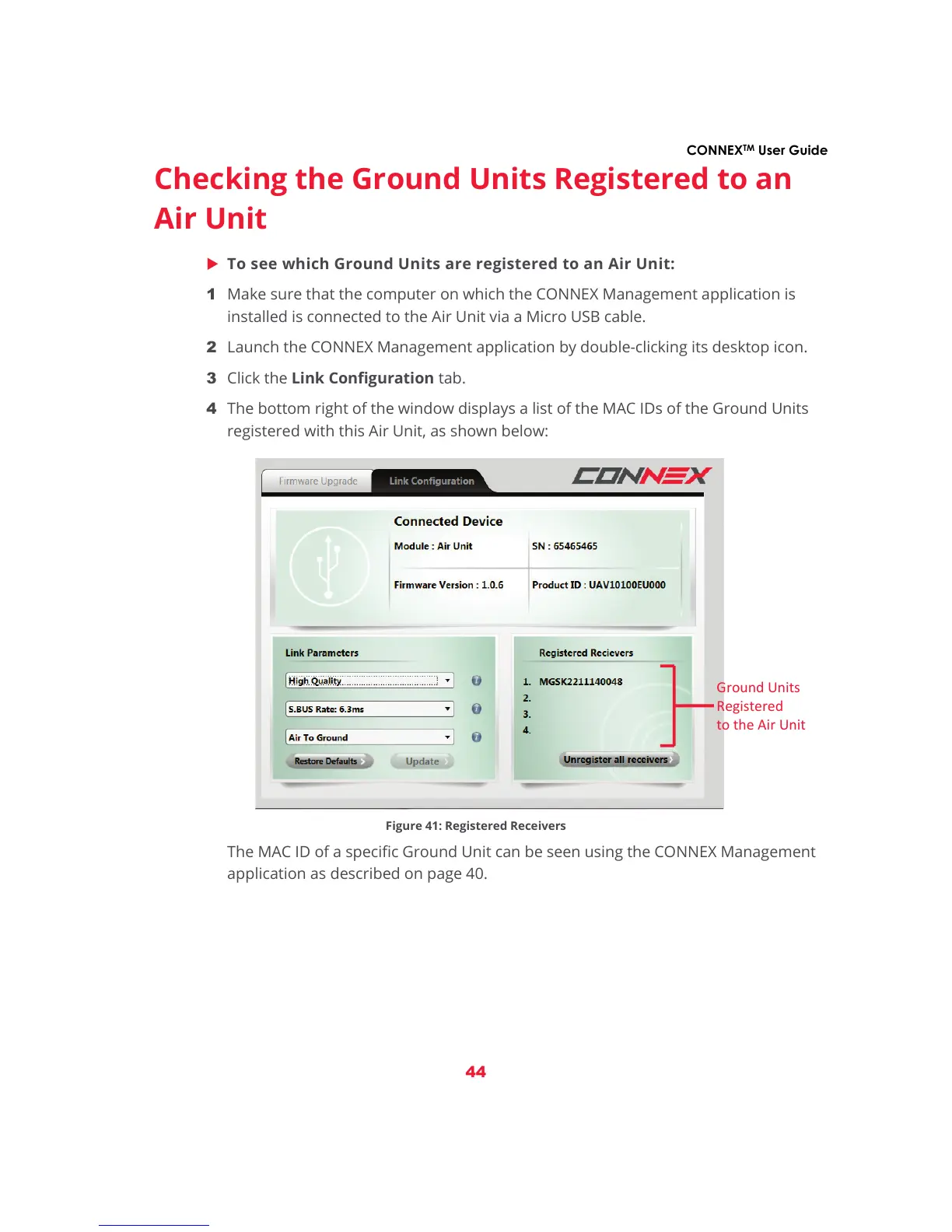
4 The bottom right of the window displays a list of the MAC IDs of the Ground Units
registered with this Air Unit, as shown below:
Figure 41: Registered Receivers
The MAC ID of a specific Ground Unit can be seen using the CONNEX Management
application as described on page 40.



 To Next Page