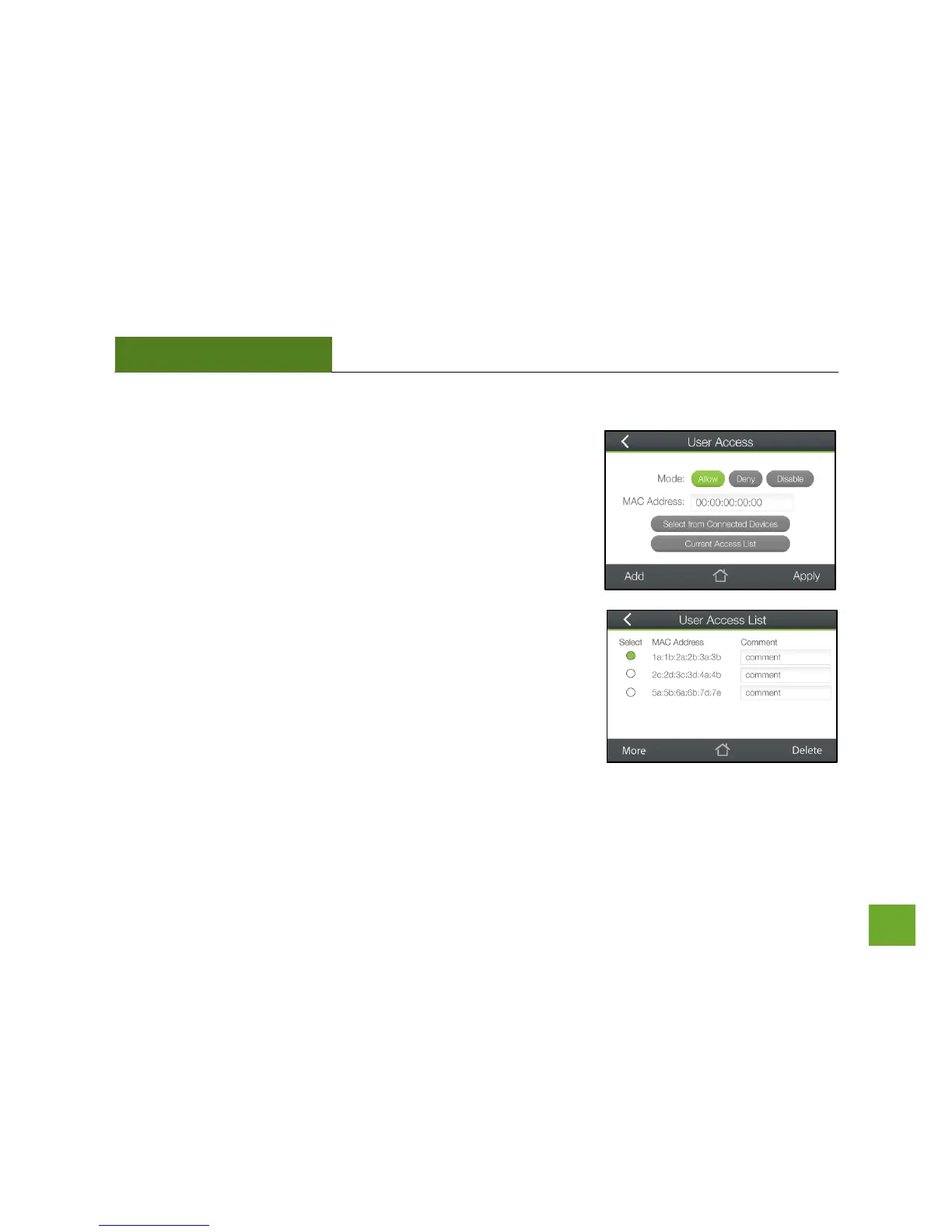
Security Features: User Access (Mac)
User Access (Mac) allows you to deny access or allow access to specific
users that are connecting wirelessly to the Router’s network via Mac
Addresses. Each network device has a unique address called a MAC
address (a 12 digit hex number).
By inputting the MAC address into the field, you can define whether that
device is allowed to connect to your network or not allowed.
Tap Select from Connected Devices to conveniently alter the access of
devices that are already connected to the Router’s network.


 To Next Page