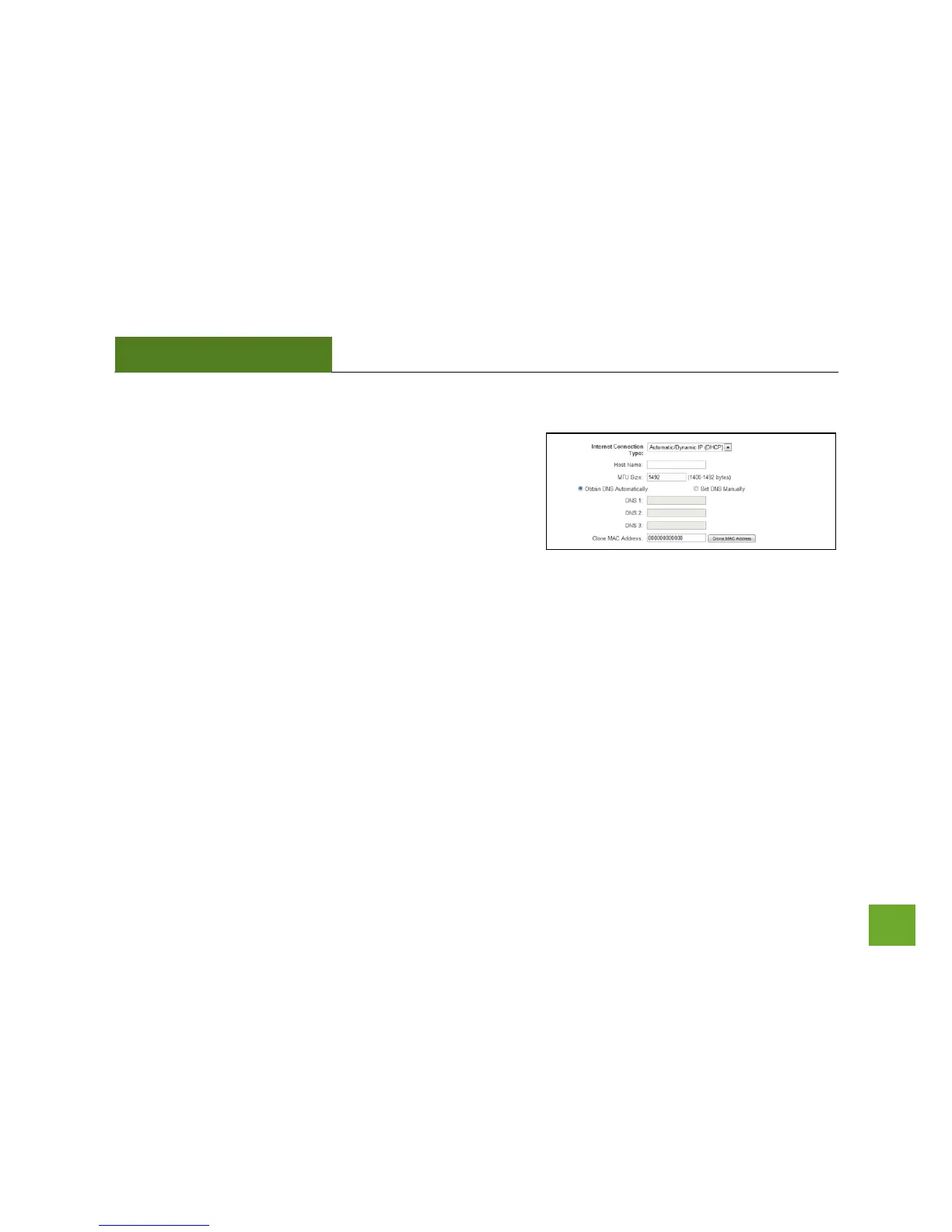
Network Settings: Internet Network (WAN)
The Basic Setup Wizard will assist you in setting up your
Internet connection. However, in the case that you wish to
adjust settings manually, the options on this page provides you
with the tools to do this easily.
Select your Internet Connection type from the drop down
menu:
Manual IP (Static): For Internet connections where the Internet provider does not provide you with an IP
address automatically. If you know the IP address and DNS settings that your Internet provider uses, select this
option.
Automatic/Dynamic (DHCP): This is the configuration type most often used by Internet providers. Automatic
configurations are used by both DSL and Cable as well as other providers. Under the Automatic Configuration
method, the Internet provider will assign your router an Internet IP address automatically.


 To Next Page