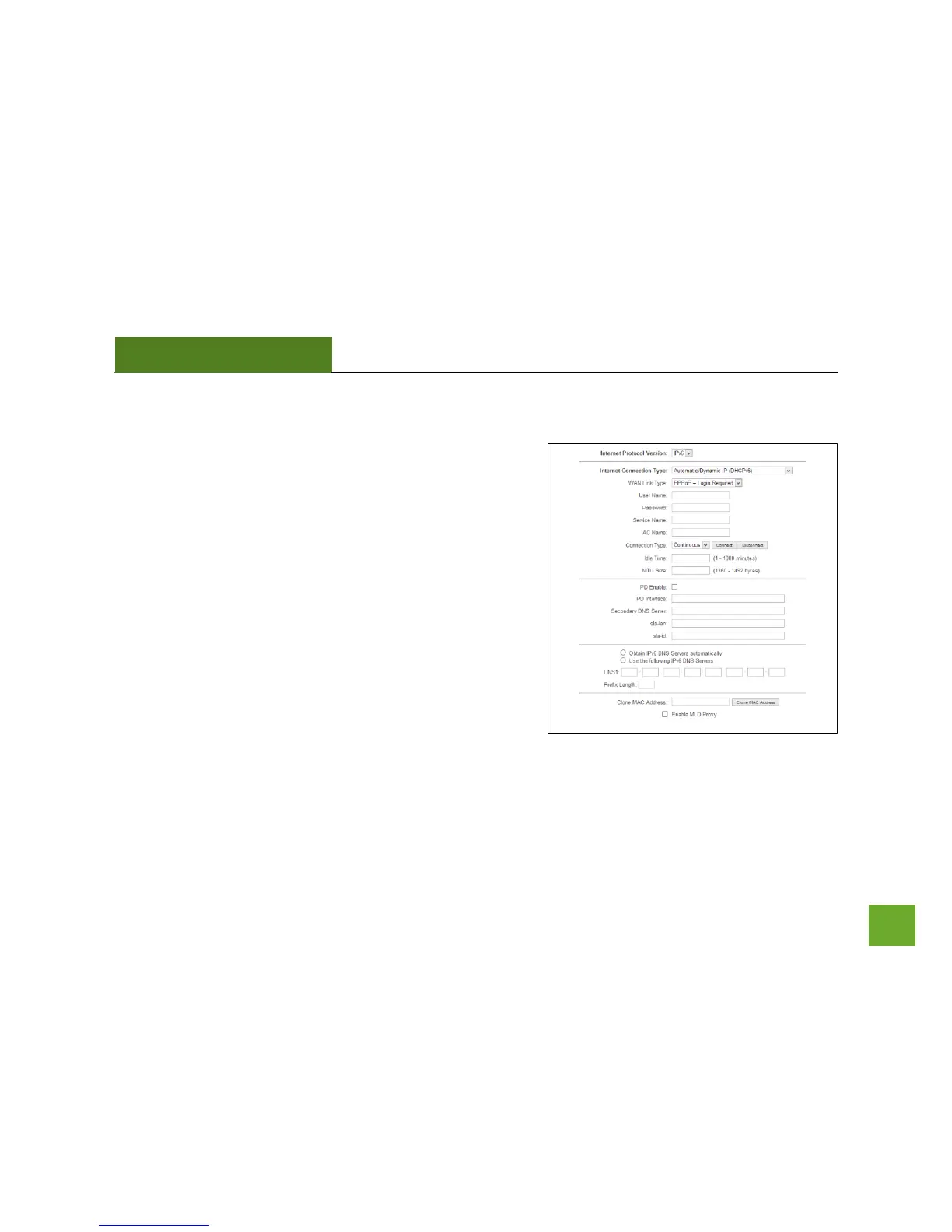
Network Settings: IPv6 Internet Network (WAN)
The Basic Setup Wizard will assist you in setting up your
Internet connection. However, in the case that you wish to
adjust settings for IPv6 connections, the options on this page
provides you with the tools to do this easily.
Each selection will have the option to select the WAN Link
Type: IP or PPPoE. If your ISP requires login information, select
PPPoE. If not, select IP.
IPv6 Connection Types
Automatic/Dynamic (DHCPv6): The ISP automatically provides
IPv6 stateful address configurations.
Manual IP (Static): For Internet connections where the Internet
provider does not provide you with an IP address automatically. If you know the IPv6 address and DNS
settings that your Internet provider uses, select this option.


 To Next Page