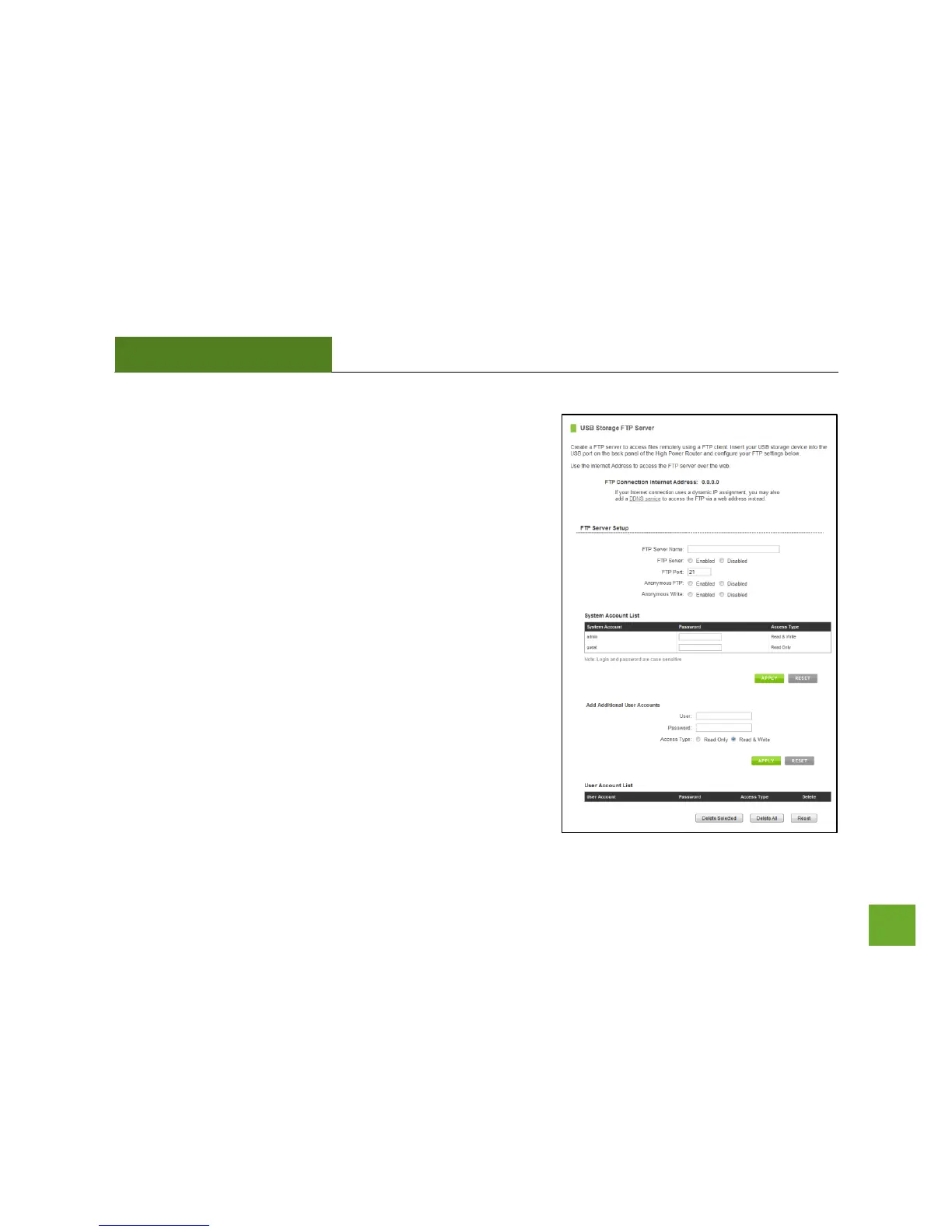
USB Storage: FTP Server
Share a USB storage device with computers remotely over the
Internet. A FTP server allows you to access files through the use
of an FTP client remotely over the Internet.
Insert a USB storage device, such as a flash drive or external hard
drive, to the USB port on the back of the Router.
c) From the USB Storage/FTP Server page of the web
menu, enter a FTP server name.
d) Select whether you wish to have an open or secured
access to your FTP server.
e) Open your FTP client software (not provided) and
create a new FTP connection.
f) Enter the Internet Address for the router as the IP
address for your FTP connection. When prompted
enter your login information to access the USB
Storage device remotely.


 To Next Page