5GHz WI-FI SETTINGS
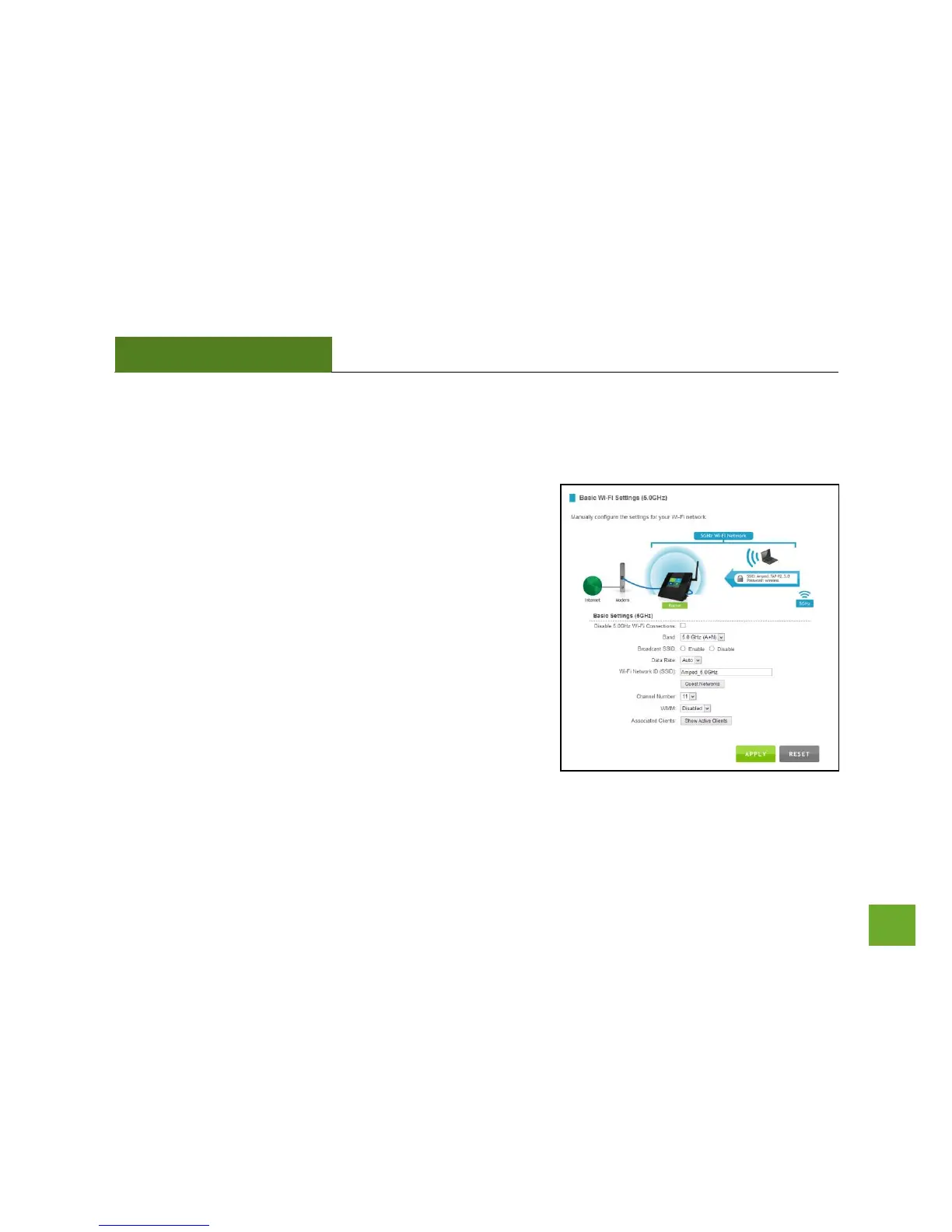
5GHz Wi-Fi Settings: Basic Settings (5.0GHz)
The Basic Settings page allows you to adjust settings for your
5GHz local wireless network.
Disable 5.0GHz Wireless Connections: Disabling will turn off all
5GHz Wi-Fi activity. Users will no longer be able to connect
wirelessly to your 5GHz network.
Band: Select the compatible Wi-Fi standard and speed for your
wireless network.
Broadcast SSID: Selecting Disable Broadcast SSID will hide the
visibility of the router’s 5GHz network SSID. Users must manually
enter the SSID to connect.
Data Rate: Sets the maximum wireless data rate that your
network will operate on.


 To Next Page