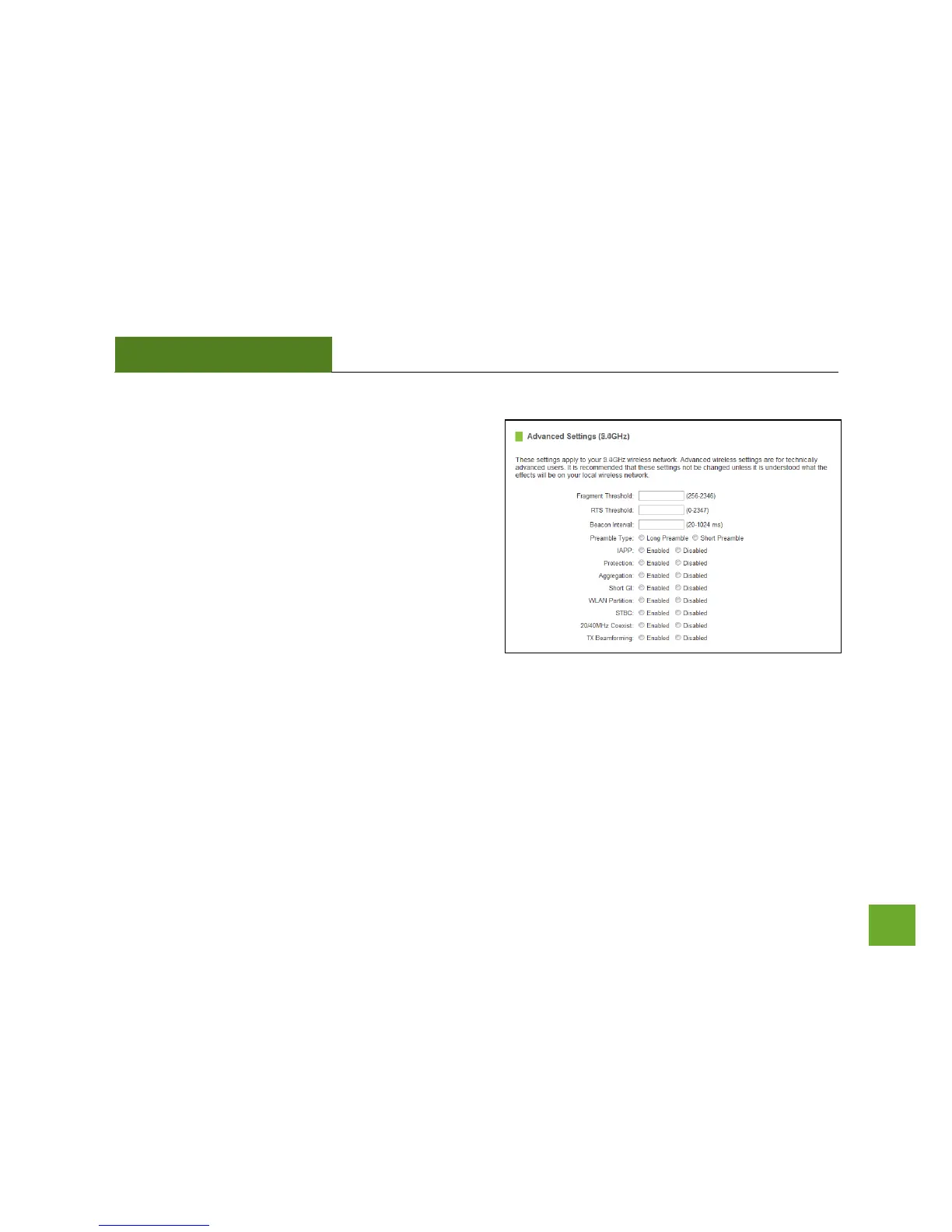
2.4GHz Wi-Fi Settings: Advanced Settings (2.4GHz)
Advanced Wireless Settings should only be adjusted by
technically advanced users. It is not recommended that
novice users adjust these settings to avoid degrading
wireless performance.
Fragment Threshold: The default and recommended
setting is at 2346, meaning the Router will never
fragment any frames that it sends to wireless users.
RTS Threshold: Adjusts the size of RTS data packets.
Lower values reduce throughput, but allow the system to
recover quicker from interference/collisions. Higher
values provide the fastest throughput.
Beacon Interval: Indicates the frequency interval of the beacon. A beacon is a packet broadcast by the router
to synch the wireless network.
Preamble Type: Defines the length of the Cyclic Redundancy Check for communication between the router
and roaming wireless users.
IAPP: Inter-Access Point Protocol.
STBC: Space Time Block Coding improves reception by coding the data stream in blocks.


 To Next Page