Axpert-Eazy AC Variable Frequency Drive
6-51
6
When this option is selected, the set torque M107 corresponds to PLC A-O/P 3. This Parameter
option value can be set directly from In-built PLC function. The output torque will be zero at 0d and
maximum at 1000d.
18. PLC A-O/P 4
When this option is selected, the set torque M107 corresponds to PLC A-O/P 4. This Parameter
option value can be set directly from In-built PLC function. The output torque will be zero at 0d and
maximum at 1000d.
A109:
Extended Parameter
This parameter is used for extend the Mode – D, E, G, H, P. When this Parameter is Disable then
Mode – D, E, G, H, P are not display. When this Parameter is Enable then Mode – D, E, G, H, P are
display.
A110: Frequency Reference Select 1
A111: Frequency Reference Select 2
A112: Frequency Reference Select 3
Use these parameters to select the frequency reference as per the "Reference Select 0" and
"Reference Select 1" PSI selection. Refer the PSI selection for further detail.
A113: Stop Frequency
During deceleration drive act as coast to stop at this frequency.
GROUP – 2: ACCELERATION / DECELERATION
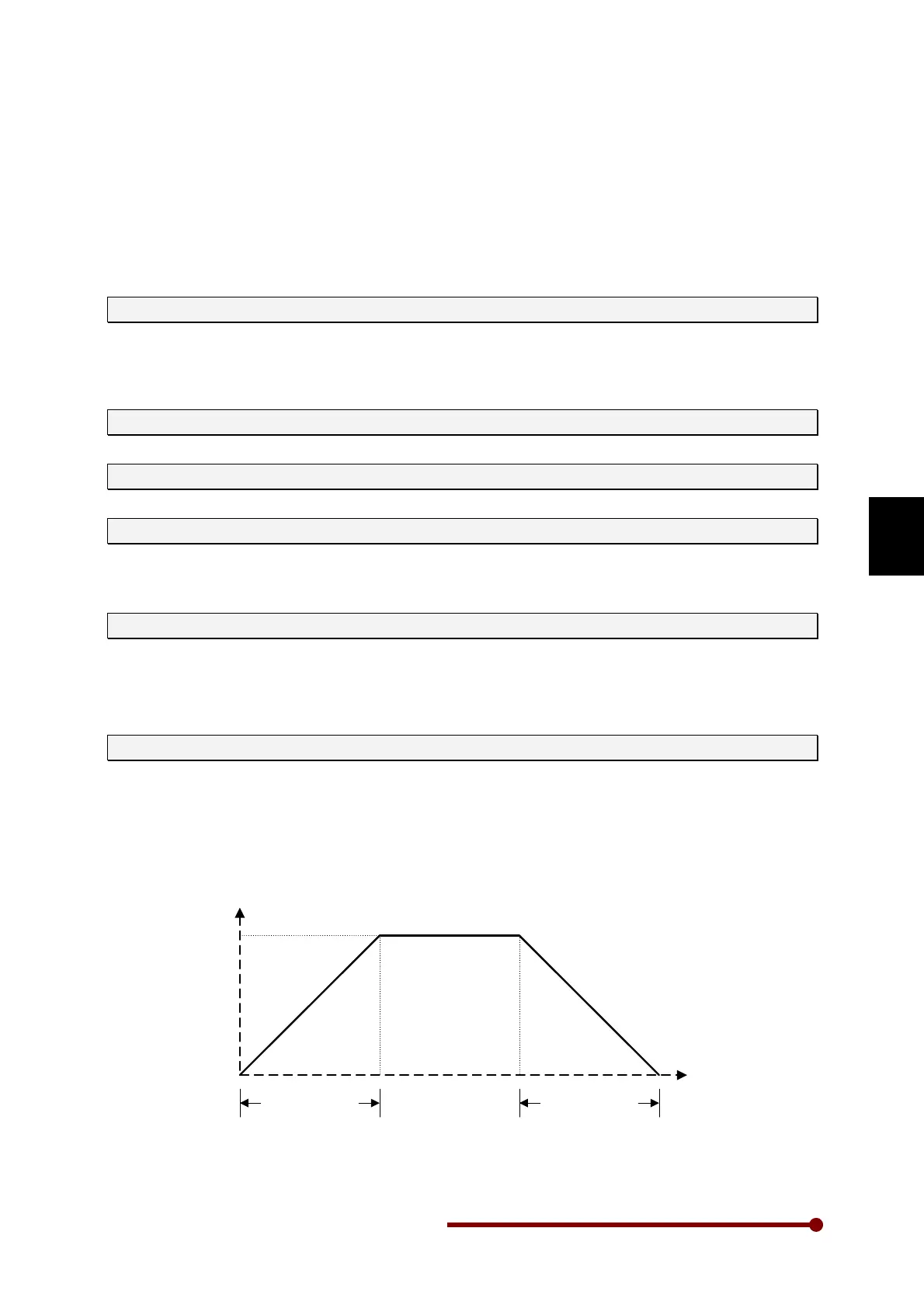
A201: Acceleration Time-1 (Sec)
Acceleration Time-1 is the time taken by AC DRIVE output frequency to ramp up from zero frequency
to maximum frequency A103.
Short acceleration time can result in excessive output current and if it exceeds the acceleration
current limit B303, the acceleration will cease until the current reduces below the B303 value. In such
case, the actual acceleration time will differ from programmed value. The AC DRIVE may trip in over
current fault if the condition persists for long time. Increase acceleration time in such cases.
Acceleration
Time-1(A201)
Deceleration
Time-1(A202)
Max.Frequency
(A103)
0
F
t




 To Next Page