www.amulethotkey.com | 21
Amulet Hotkey K4u
+
Manual
3 Plug a USB cable into any hosted USB port (A to D) on the
front of your master K4u
+
and into any rear panel USB port
on the secondary K4u
+
(channel 1 in this example).
The master K4u
+
automatically enters sharing mode. Now
set the inactivity timeout.
4 The shared computer becomes available to either user when
the mouse and keyboard ‘inactivity timeout’ expires. You can
set this timeout to 0, 2, 5 or 10 seconds.
Use DIP switches B3 and B4 on the master K4u
+
to specify
the inactivity timeout:
6.5.2 Sharing indicator LEDs
Optional indicator LEDs are available to order. A pair of LEDs
indicate to both users the status of the shared channel. If used,
you must plug the sharing LEDs into the master K4u
+
that is
attached to the shared computer.
See section 7.7.2 for further details.
Inactivity timeout B3 B4
0 seconds OFF OFF
2 seconds ON OFF
5 seconds OFF ON
10 seconds ON ON
6. 6 Check the K4u
+
status
The Status dialog and About dialog, both launched from the
Mouse Point menu, display useful details about the current
status of the K4u
+
.
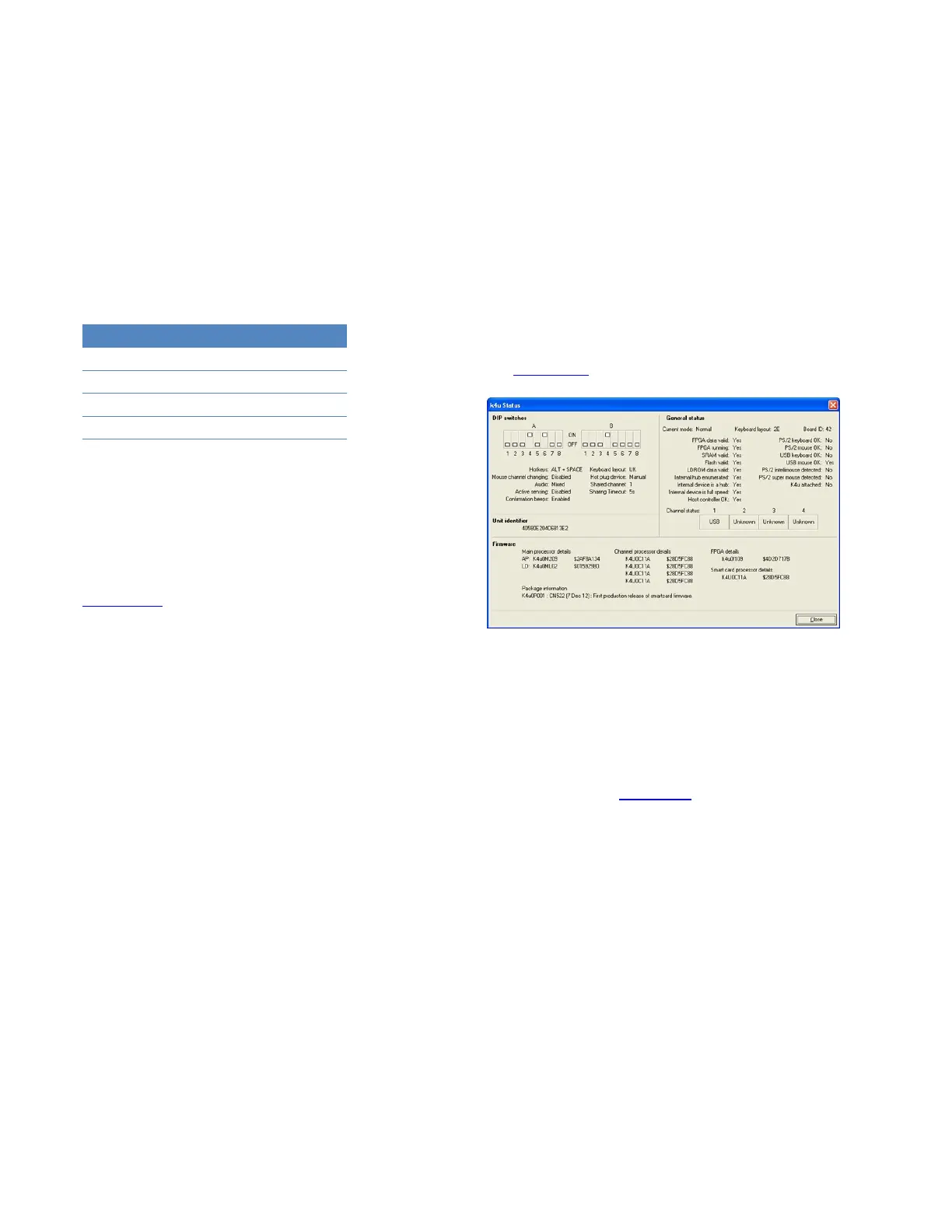
6.6.1 Status dialog
The Status dialog shows status, DIP switch and firmware version
details for the attached K4u
+
. This allows you to determine, for
example, whether a firmware update is required.
To display the Status dialog, right-click the Mouse Point icon and
choose Read Switch Status via USB.
Note:
Administrators can optionally disable this menu item.
See section 5. 5 for details.
Status dialog
After viewing the Status dialog, the displayed details are written
to local and, optionally, remote status files. These files are
named <computer name>.k4u_info, where <computer name> is
the Mouse Point host computer.
These status files are saved in the same folders as the local and
remote log files. See section 6. 7 for details about log file
locations.


 To Next Page