www.amulethotkey.com | 34
Amulet Hotkey K4u
+
Manual
9.1.1 Connecting a K4u
+
to an AHK3000D and DXR2 system
1 Set the DXR2 DIP switch 8 to ON before you power up the
DXR2 or connect the mini USB-B cable.
2 Power up the DXR2.
3 Plug the mini USB-B cable (CL-USBM-0001) into the flash
port on the front of the DXR2 and into a front panel USB
port (A, B, C or D) on the K4u
+
(see section 2. 1).
Do not plug the cable into the K4u
+
hot-plug port!
4 Connect a USB mouse to the K4u
+
or, as shown previously,
connect a PS/2 mouse to the DXR2. You cannot connect and
use both mice at the same time.
Note:
Although computers attached to the K4u
+
will
support a mouse with 4 or 5 buttons and a wheel, the
Dealing 3000 keystation ignores buttons 4, 5 and the
wheel.
See the DXR2 Manual or Application Note 026 for full
connection instructions. These are available on the Support >
Downloads page of the Amulet Hotkey website,
www.amulethotkey.com
9.1.2 Channel selection keys
Dedicated keys on the AHK3000D keyboard allow users to
directly select which service or attached computer is the focus
of keyboard and mouse activity. (Available on kit versions
KT-KB02-0007 and -0008 only.)
9.1.3 Dealing selection keys
To select Dealing mode, press:
■ The D3000 key, or
■ Any key on an attached Dealing keypad, or
■ A dealing mode change key. Depending on the keyboard
layout, these can include: Cancel All/Cancel Orders, Mine,
Yours, Bid, Offer, I Buy, I Sell, Contact or Accept
Note:
The AHK3000D keyboard layout can be customized.
Contact your local Amulet Hotkey sales office for more
information.
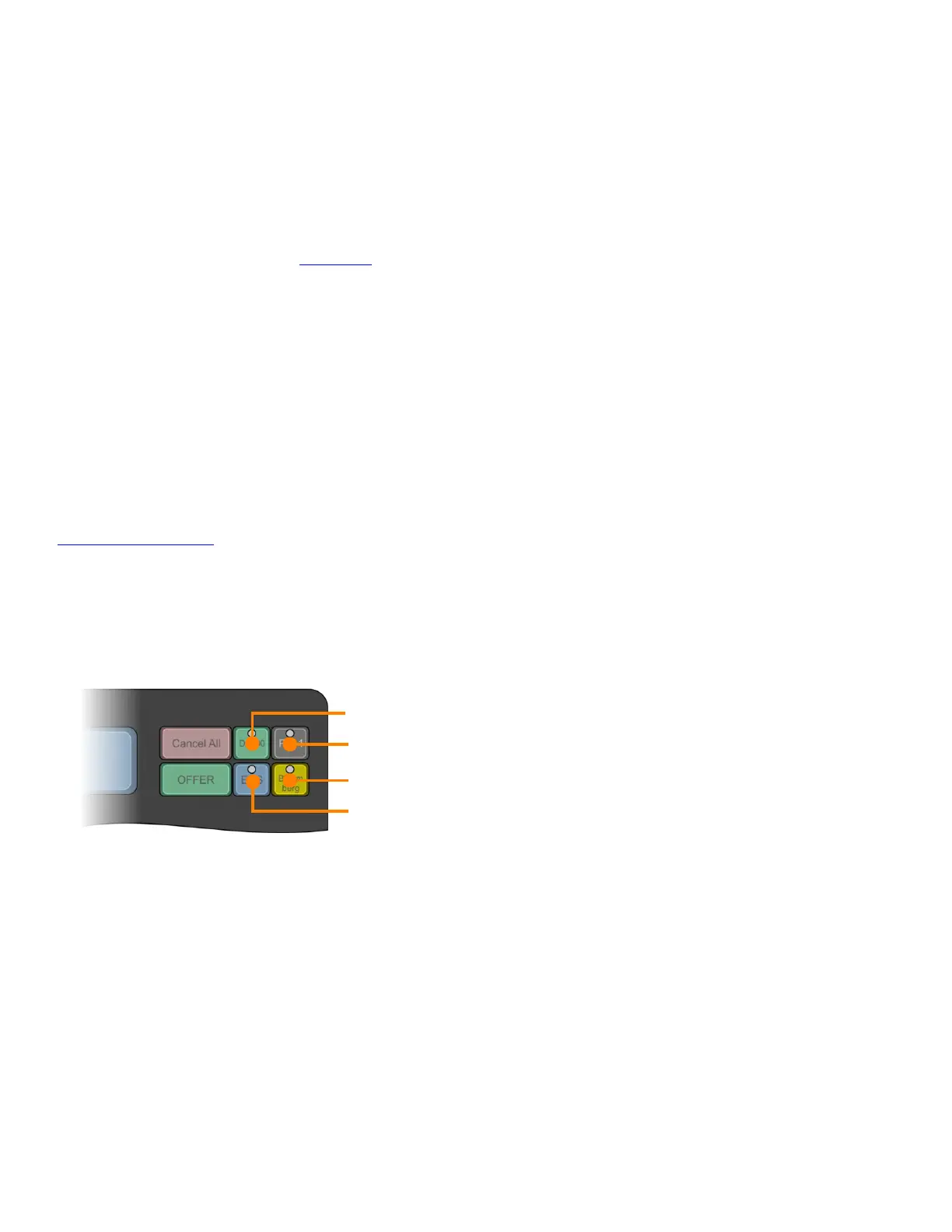
Channel selection keys on AHK3000D:
D3000. Selects Dealing 3000 keystation
1. Selects computer attached to K4u
+
channel 1
Note: If you use a Bloomberg PC, which is typically connected
to channel 1, we recommend that you physically swap the key
caps on channels 1 and 3.
2. Selects computer attached to K4u
+
channel 2
3. Selects computer attached to K4u
+
channel 3.
By default, the AHK3000D has a Bloomberg key cap
attached to the channel 3 key plunger.
D3000
1
2
3


 To Next Page