44
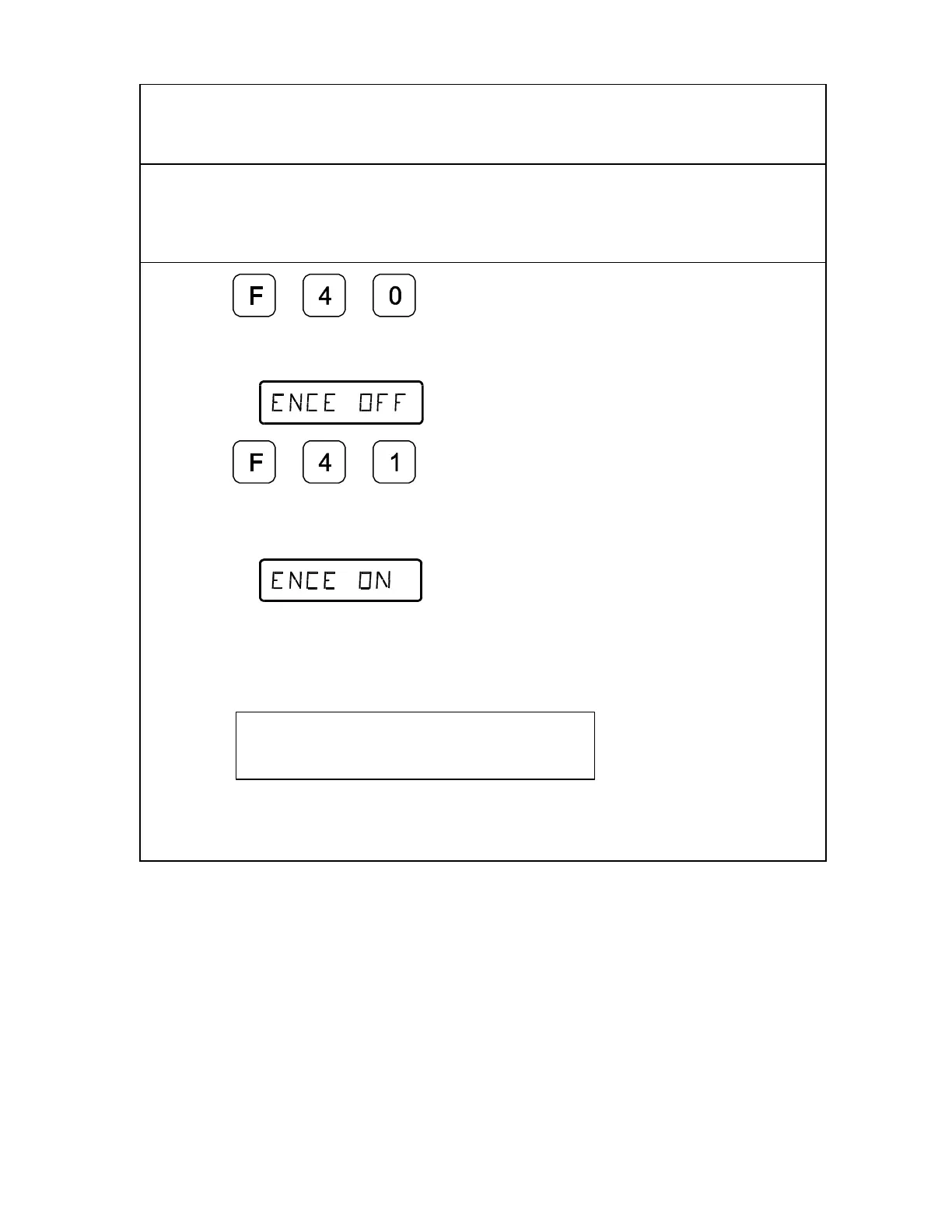
Linear Encoder Error Detect OFF/ON – F 40/F 41
Your DRO has advanced Linear Encoder error-checking capability. This feature
determines if there are any Linear Encoder miscounts or repeatability problems. F 40
allows you to turn OFF Linear Encoder Error Detect; F 41 allows you to turn ON Linear
Encoder Error Detect. (Default: ON)
1. Press to select OFF and
deactivate all axes.
The DRO displays the following in the axis window:
2. Press to select ON and activate
all axes.
The DRO displays the following in the axis window:
If the DRO detects an error, it displays the error in that axis display. The other axes
displays remain blank for a short time and then the beeper sounds.
For example:
X error



 To Next Page