Introducing the Wizard (Continued)
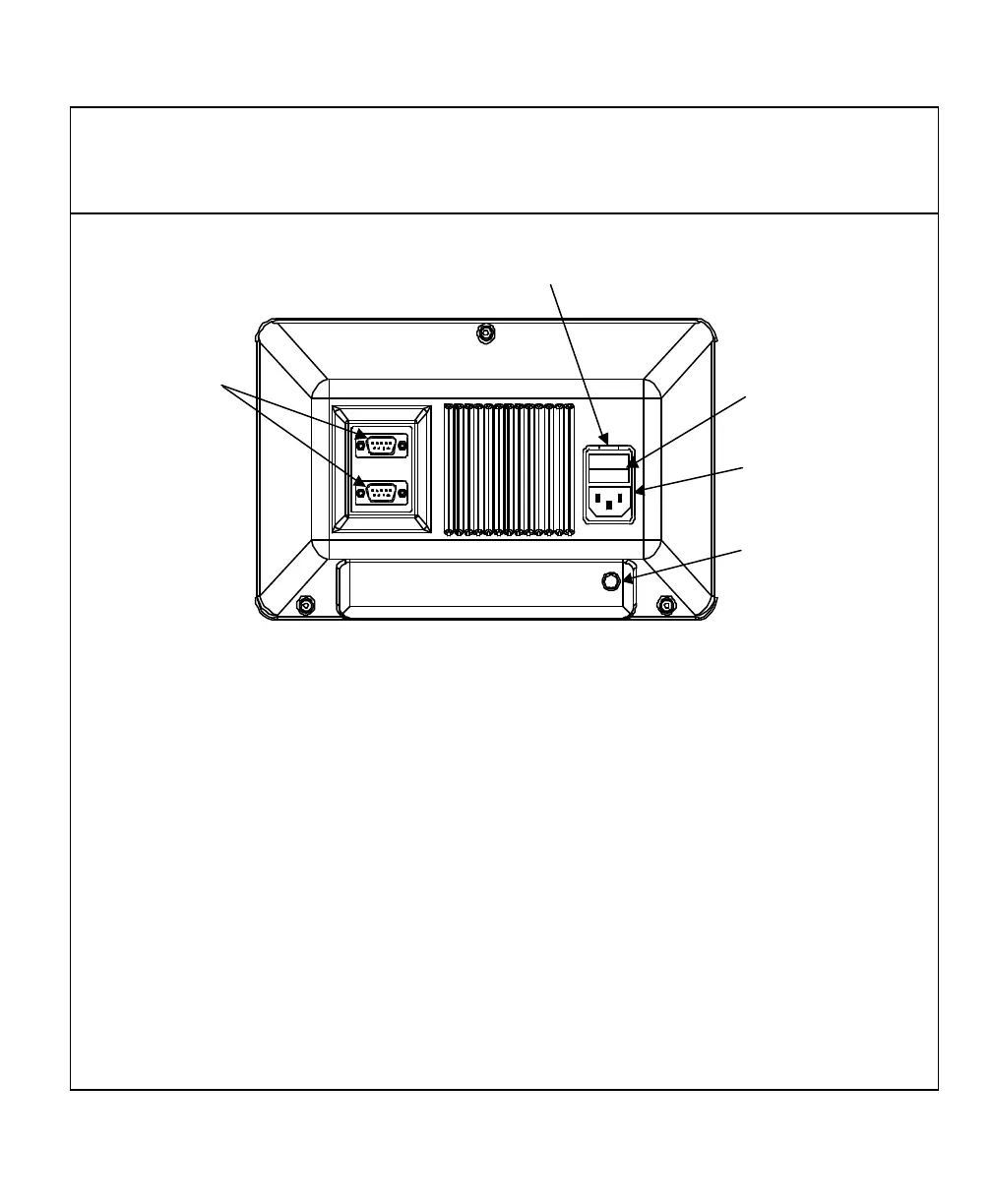
The ANILAM Wizard 211 Back Panel
Linear Encoder
Connections
Ground
Connection
Power Cord
Connection
ON/OFF Switch
Fuse Cover Slot
I
O
Selecting the Operating Voltage
To select the operating voltage for the DRO:
1. Locate the ON/OFF switch on the back panel of the DRO and verify that the switch
is in the OFF (0) position.
CAUTION: To avoid electrical shock, unplug the DRO from the power source.
2. Insert a small screwdriver into the fuse cover slot and open the fuse cover.
3. Remove the fuse holder. Depending on the desired operating voltage, place the
fuse in either the 115V slot or the 230V slot. For 115V, place the fuse on the right
and the clip on the left; for 230 V, place the fuse on the left and the clip on the right.
NOTE: Both the 5 X 20 mm fuse (Europe) and the ¼ X 1-¼ inch fuse (U.S.), rated at
0.5 amps/250V can be used in the fuse holder.
4. The selected operating voltage is visible through the fuse cover window.
5. Insert the fuse holder into the ON/OFF switch and close the fuse cover.



 To Next Page