46
6.3 Complete Connections
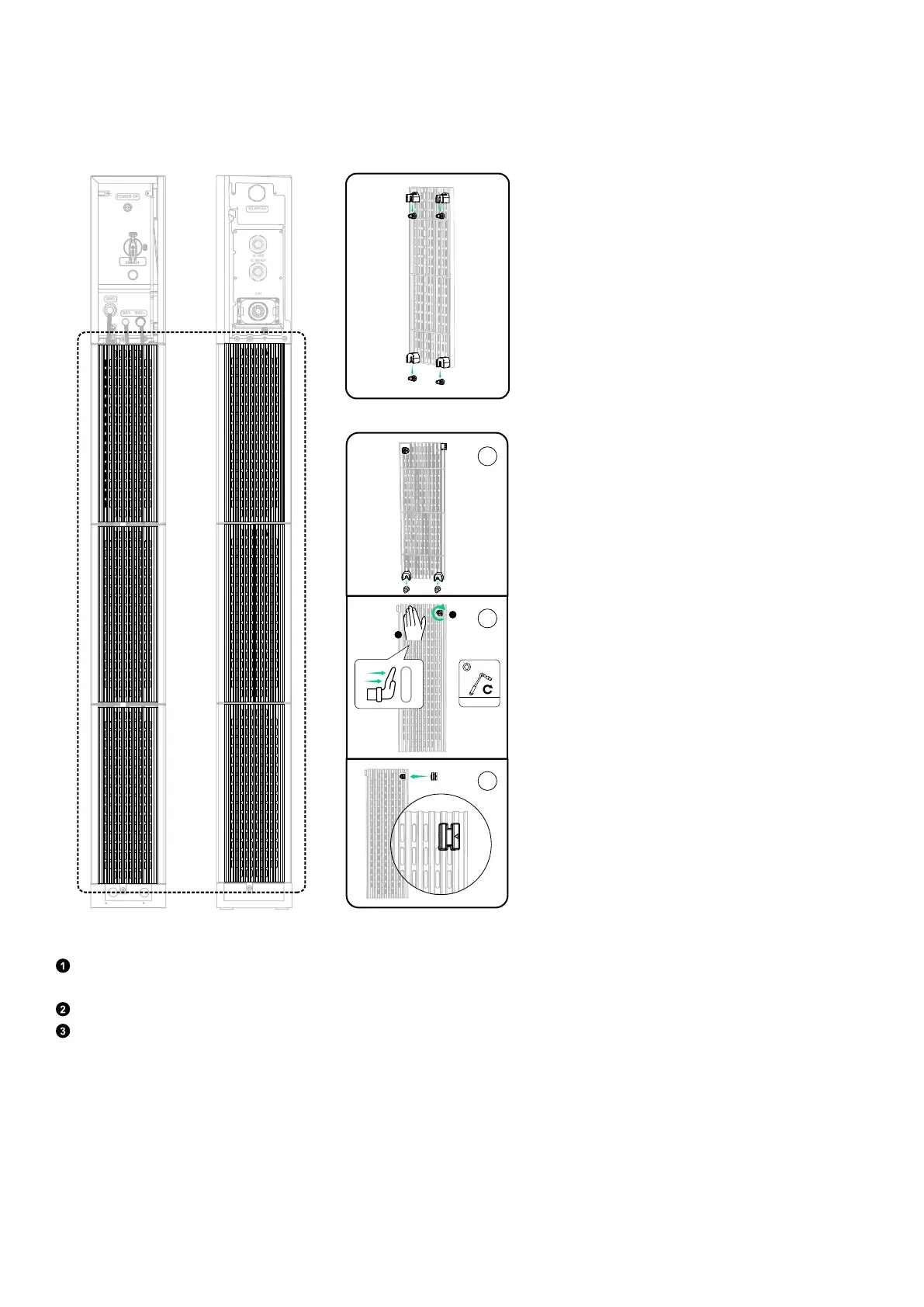
1. Install the side covers* to the battery modules from the bottom up.
*The side covers may vary due to batch variations.
Figure: Install side covers to battery modules.
BAT
SWITCH
BAT
SWITCH
BMS
BAT- BAT+
POWER ON
BMS BAT- BAT +
BMS BAT- BAT +
BMS BAT- BAT +
BMS BAT- BAT +
BMS BAT- BAT +
BMS BAT- BAT +
WLAN/4G
AC GRID
AC BACKUP
COM
b
a
c
OR
M5
2 N·m
1
2
2. Install the side covers to the power module.
Remove the separators from the right side cover. Align the side cover clips with the groove of the power module, and push
the covers down to click in place.
Fasten the screws (M4×16 mm) on the top.
Attach the separators to the slot of the right side cover.



 To Next Page