16
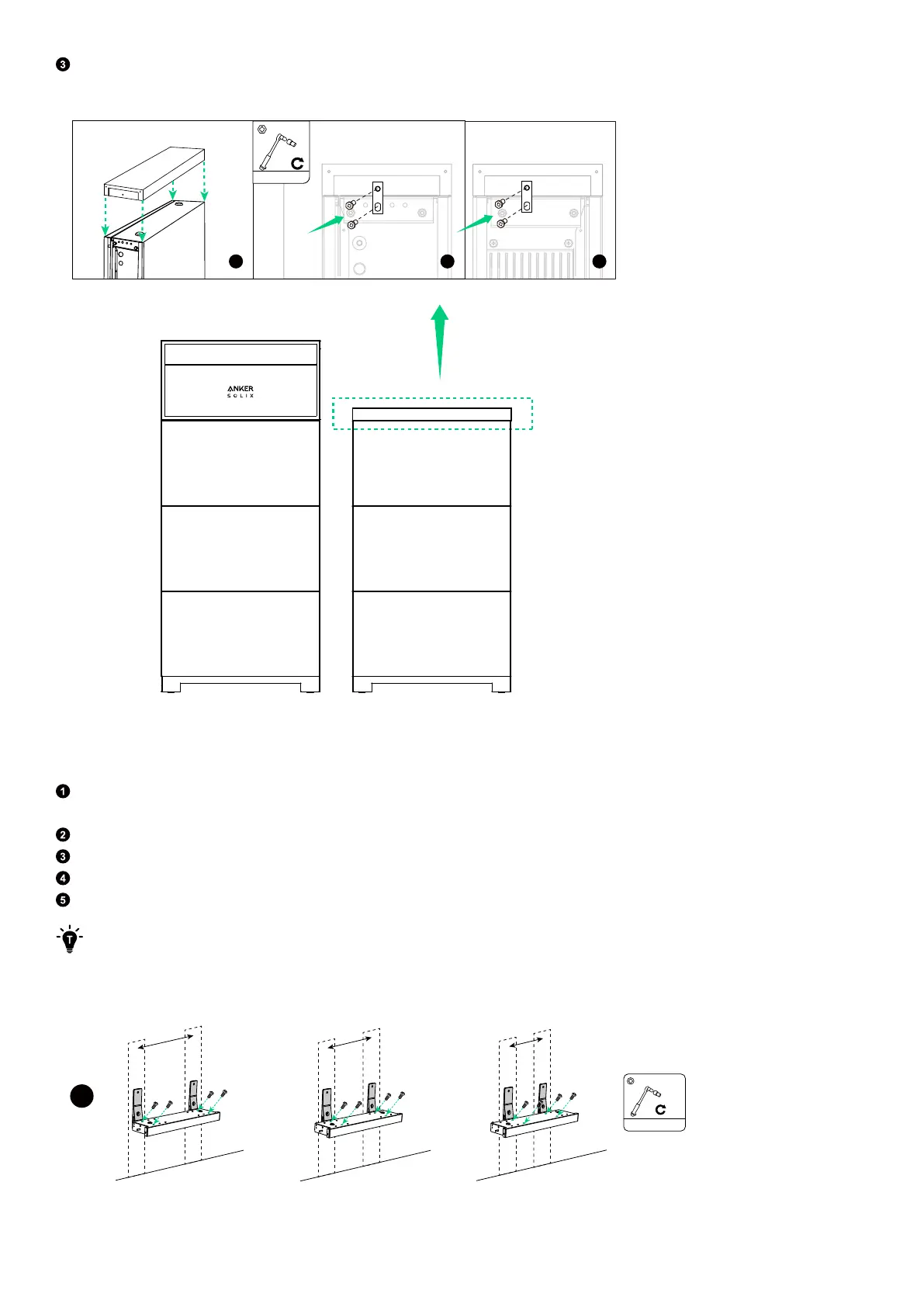
When adding the second column, attach the top cover to the top battery module using the screws (M5×14 mm, included).
Figure: Install the top cover for the second column.
a
b
c
2N·m
M5×14 mm
5.2 Wall Mounting
Step 1: Install the baseplate and bracket holders.
To secure the baseplate and bracket holders, select a set of screw holes based on the wall conditions and tighten the
screws (M4x10mm, included).
Position the baseplate and bracket holders on the wall, ensuring that they are level, and mark four pilot holes.
Drill the marked pilot holes in the wall. Make sure the drill bit is aligned with the center of the holes.
Insert the expansion bolts (M8×70 mm, included) into the pilot holes and remove the washers and nuts.
Align the bolts with the corresponding screw holes of the bracket holders, and screw the washers and nuts into the bolts.
If anchoring to a wall with studs, use the self-tapping screws (M8×70 mm) instead of the expansion bolts (M8×70 mm).
Figure: Install the baseplate and bracket holders on the wall.
508 mm
406 mm
304 mm
OR
M4×10 mm
2N·m
OR
1



 To Next Page