51
2. Log into the app using the installer's account. Please check your email to get the account name and initial password.
Build System
Step 1: Collect Owner Details
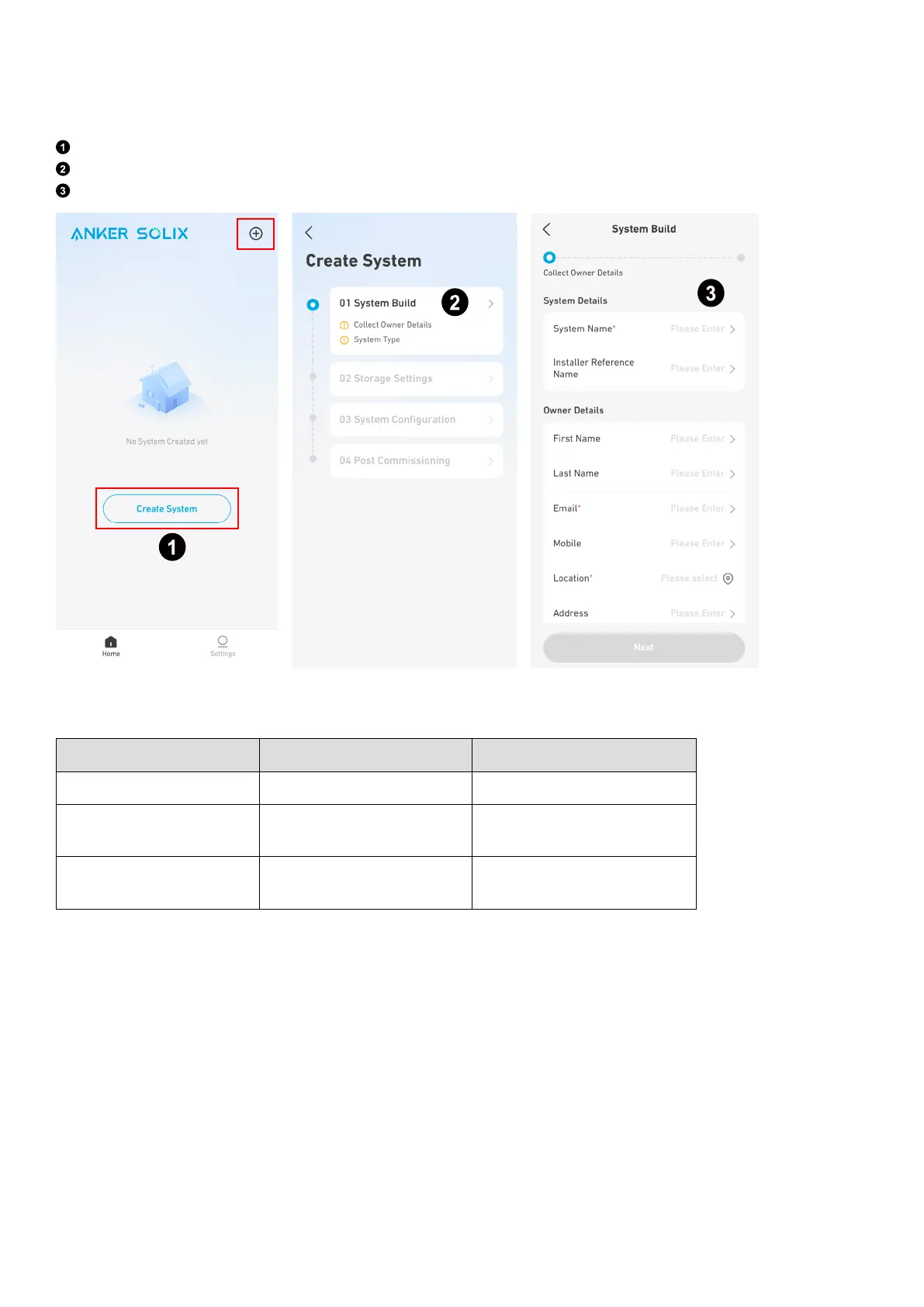
On the Home screen, tap Create System or the + icon on the top right.
Go to Build System.
Input the system and owner information.
Step 2: Select System Type
Select the appropriate system type.
System Type Does System Include Solar Inverter Inverter Brand
Anker Energy Storage No /
Anker Energy Storage & Anker Solar
Inverter
Yes Anker SOLIX
Anker Energy Storage & Third-Party
Solar Inverter
Yes Others



 To Next Page