53
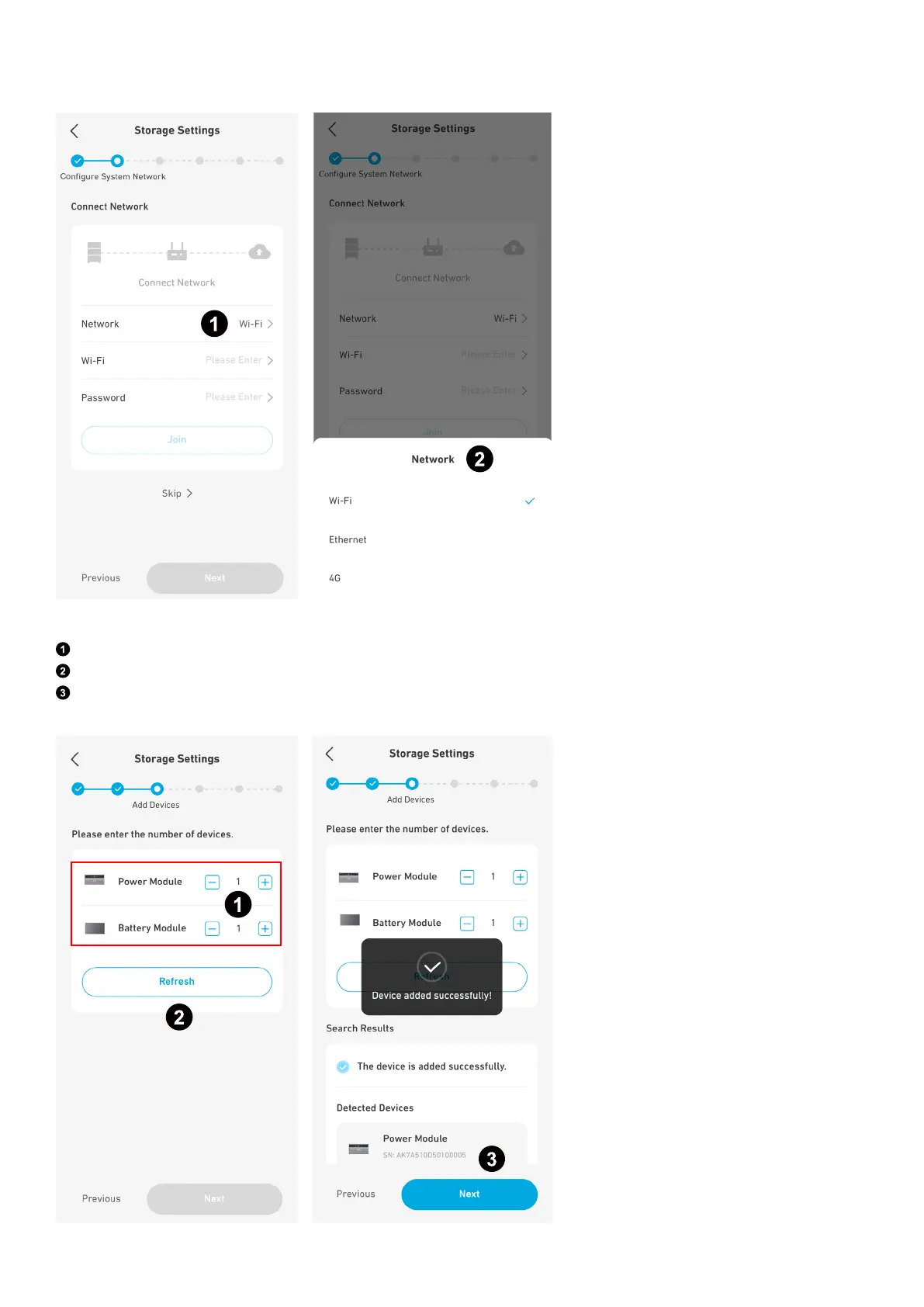
Step 2: Configure System Network
Configure the Internet connection using Wi-Fi, Ethernet, or 4G.
Step 3: Add Devices
Manually input the numbers of the power modules and battery modules.
Tap Refresh to search for the devices automatically.
Select Next to move on when you see the message "Device added successfully." If the detected numbers do not match the
input numbers, change the input numbers and tap Refresh again.



 To Next Page