45
The Focus bar indicates the degree of the focus adjustment.
Press
to capture an image of the fiber endface.
If an image of the fiber endface has been captured, the following
operations are available.
[1] Zoom, Shift
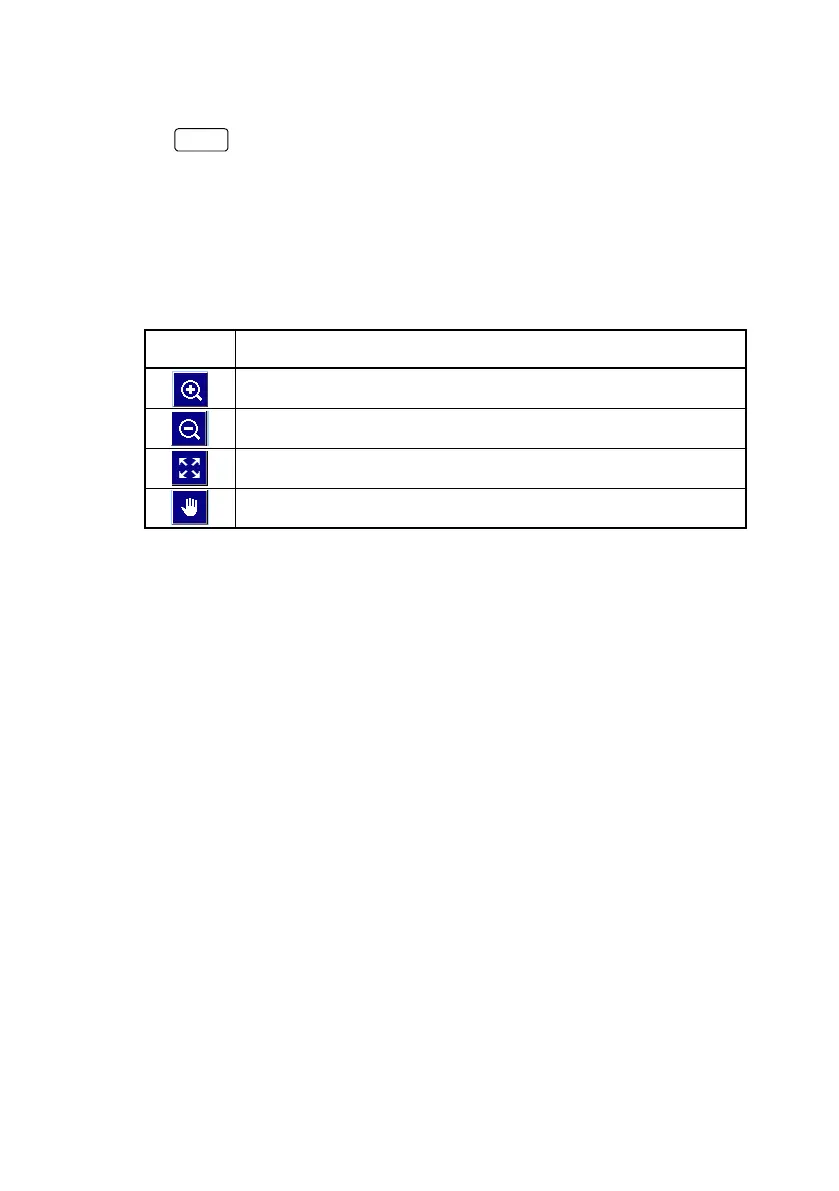
Touch an icon to zoom or shift the image by touching it or dragging
it. Rotating the Rotary knob zooms in or out of the image.
Table 5 Tool Icons
Icon Explanation
Zooms in the image centering the touched point.
Zooms out of the image centering the touched point.
Displays the whole image.
Moves the image by dragging.
[2] Save
Saves the captured endface image and the analysis results to a file
in VIPI format. Or saves only the endface image in PNG format.
[3] Analyze
Performs pass/fail judgement for the captured image.
Touch
Analysis to display details of the analysis results.
[4] Overlays
Displays border lines of Core, Cladding, Adhesive, Contact.
[5] Settings
Displays the VIP Test Setup screen and VIP Auto File Settings
screen.
[6] Report
Displays VIP Report Settings screen
[7] Analysis Result
Displays the table of analysis results (refer to figure in page 46).



 To Next Page