www.anycubic.com
20
Installation
Check before using
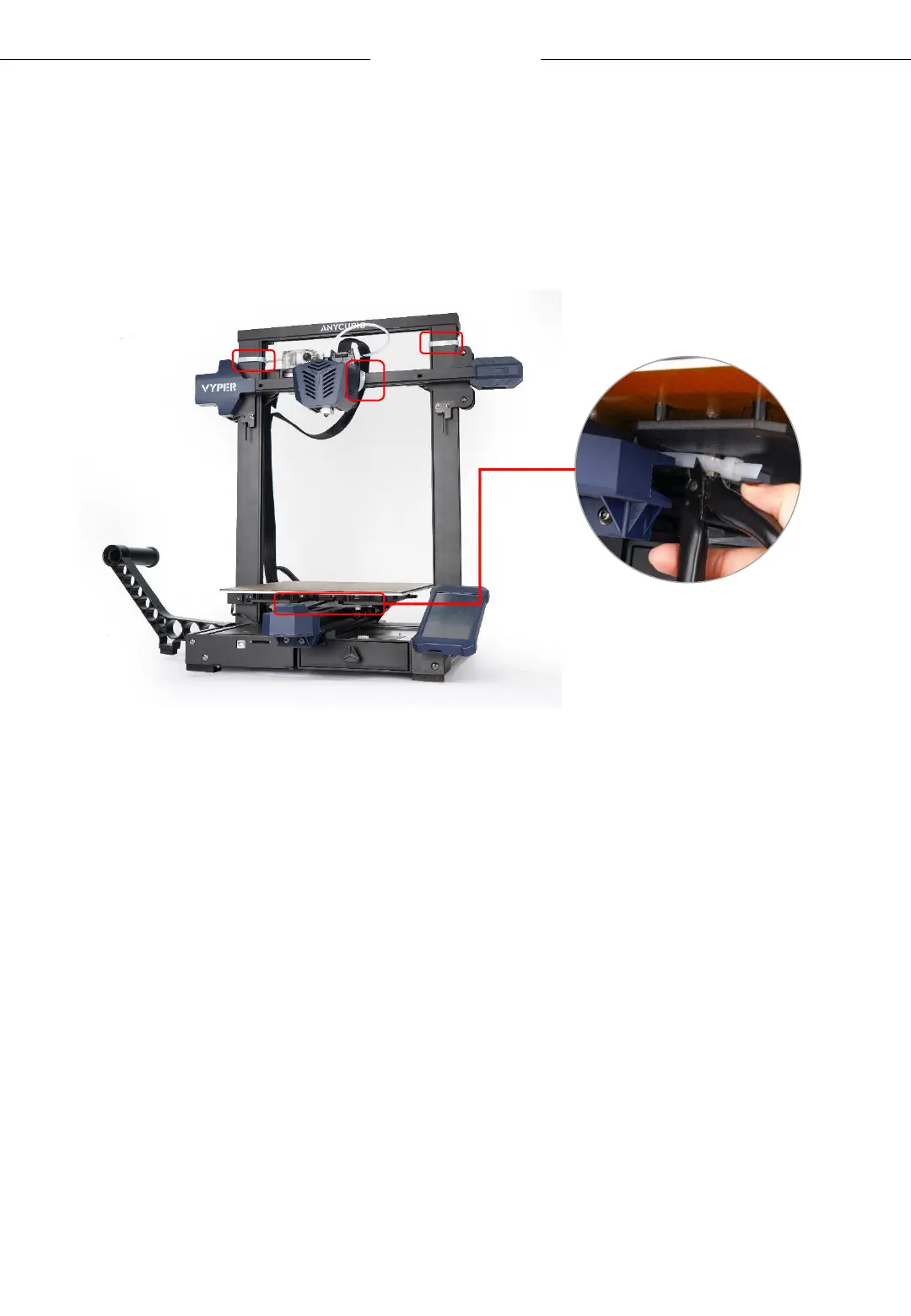
1. Make sure that the 4 zip ties shown below have been cut off before
operating the machine.
2. D-shape wheels of the base may be loosened due to transportation,
please check it after unpacking.
Place the base on a flat desktop. Shake the platform to confirm whether
the printing platform is shaking up and down. If so, please tighten the
hexagonal pillars of the D-shape wheels on the right under the platform.
• Move the platform to the front for tightening the pillar A.
• Move the platform to the rear for tightening the pillar B.












 To Next Page